Case Study — InsideSalesBox: Inside Sales Software for Small and Medium Businesses
Introduction
InsideSalesBox is a sales development platform designed for inside sales representatives—remote sales teams focused on email and phone outreach to either close small-value deals or schedule meetings with prospects for senior sales staff. The primary responsibility of these representatives is setting up meetings with qualified leads.
Problem Statement
Inside sales reps manage leads through CRM systems, documenting every interaction so managers can track progress. However, connecting meaningfully with prospects typically requires 6-8 contact attempts, and tracking this across all leads is extremely difficult. Sales cycles lasting three to eight months often result in reps losing context or being reassigned, causing leads to fall through the cracks.
The three-step sales process includes:
- Sales Prospecting — Identifying potential customers
- Sales Nurturing — Engaging through email, calls, social media, and meetings
- Closing the Deal — Completing transactions or passing leads to senior sales staff
Overall rate of conversion for sales team from demo to customer was less than 10%
User Research
Stakeholder Interviews revealed critical issues:
- Poor user interface design
- Low product conversion (10%)
- Fewer features than competitors
Existing Interface Evaluation showed the platform provided tools for lead connection and list management but lacked effective impact monitoring, poor task management, and inadequate reporting capabilities.
Contextual Inquiry with seven users identified key findings:
- No mechanism to ensure equal lead attention as new prospects arrived
- Limited email personalization options
- Invisible interaction history
- High-value inbound requests lost in lead pools
- Context loss when reps left the platform
- Social media pre-contact increased close rates by 80%
- Need for learning tools and manager feedback
User Persona
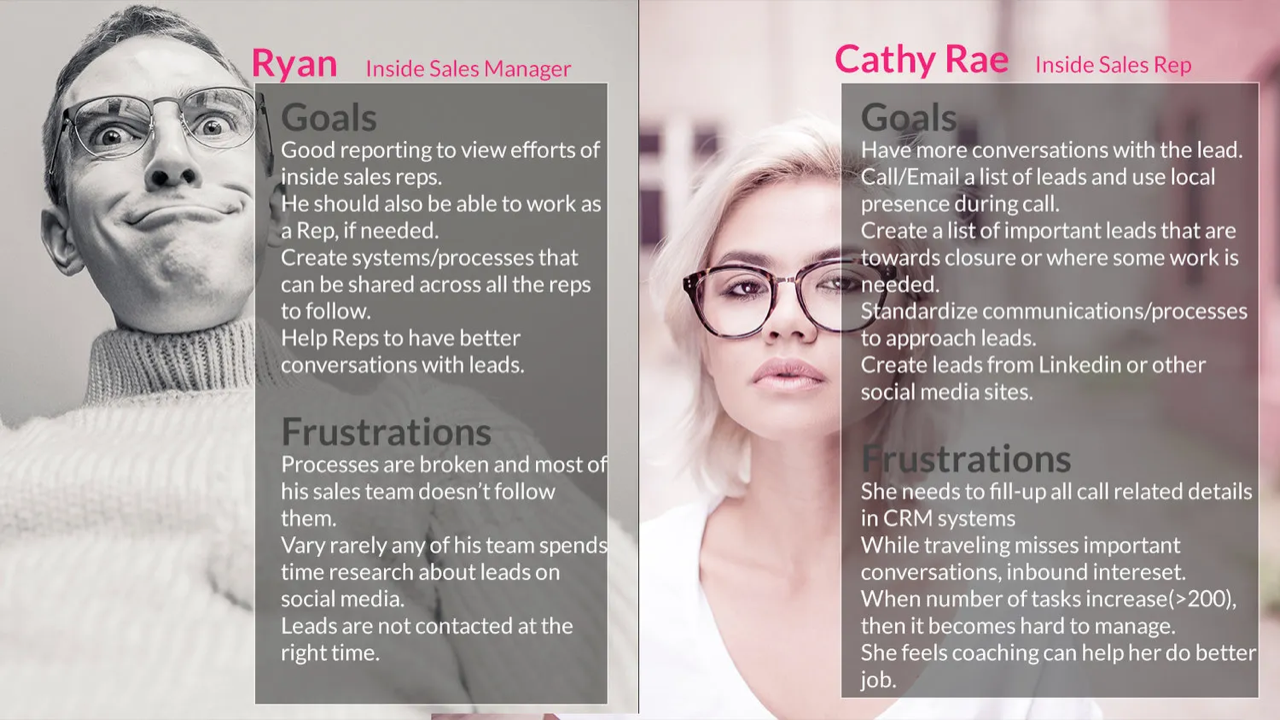
The sales hierarchy consists of inside sales reps handling daily lead outreach and managers responsible for team oversight and mentoring.
Information Architecture
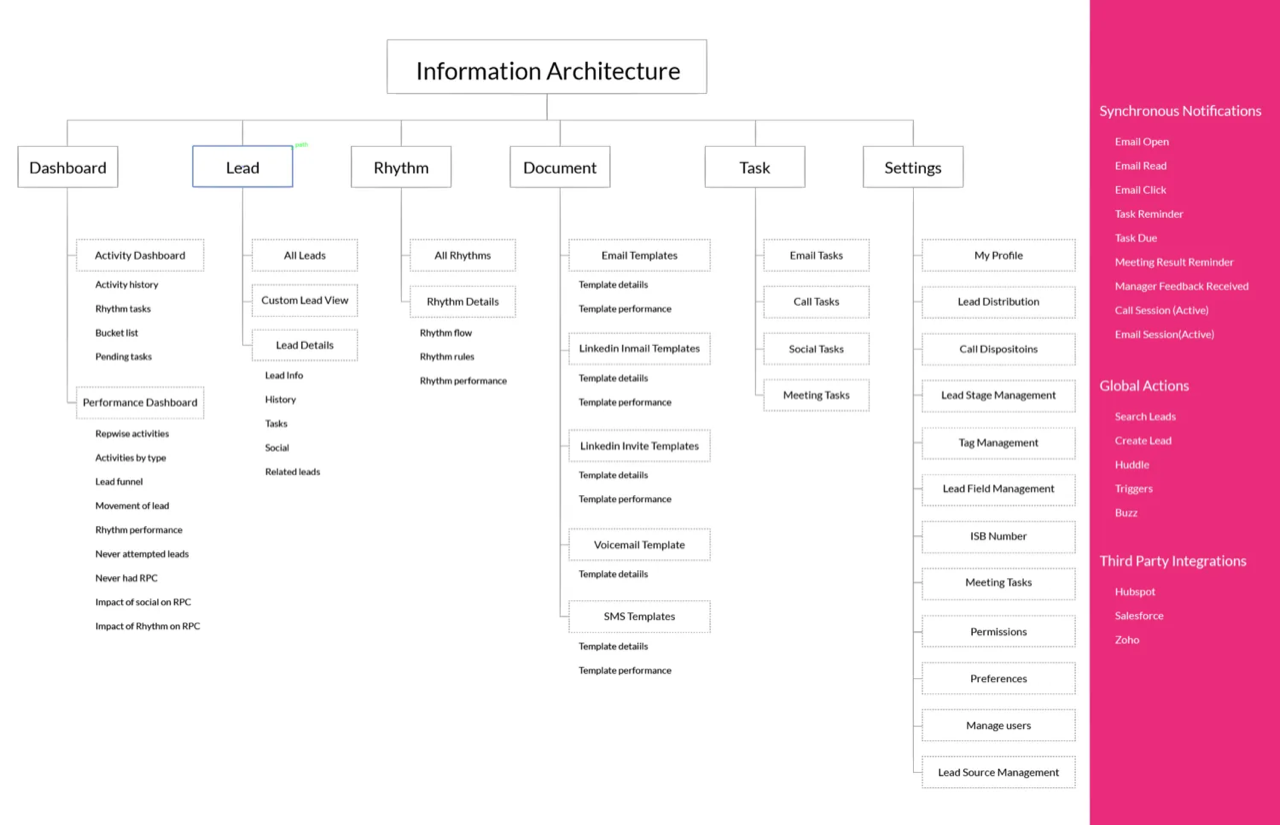
User tasks were organized into seven categories:
- Reports/Monitor — Track effort and lead progress
- Lead Management — View, manage, and distribute leads
- Task Management — Daily task completion tracking
- Sales Process Management — Create and monitor organizational sales workflows
- User Settings — Manage contact information and preferences
- Synchronous Notifications — Real-time activity alerts
- Third Party Integrations — Sync activity data with external tools
Approach Towards New Design
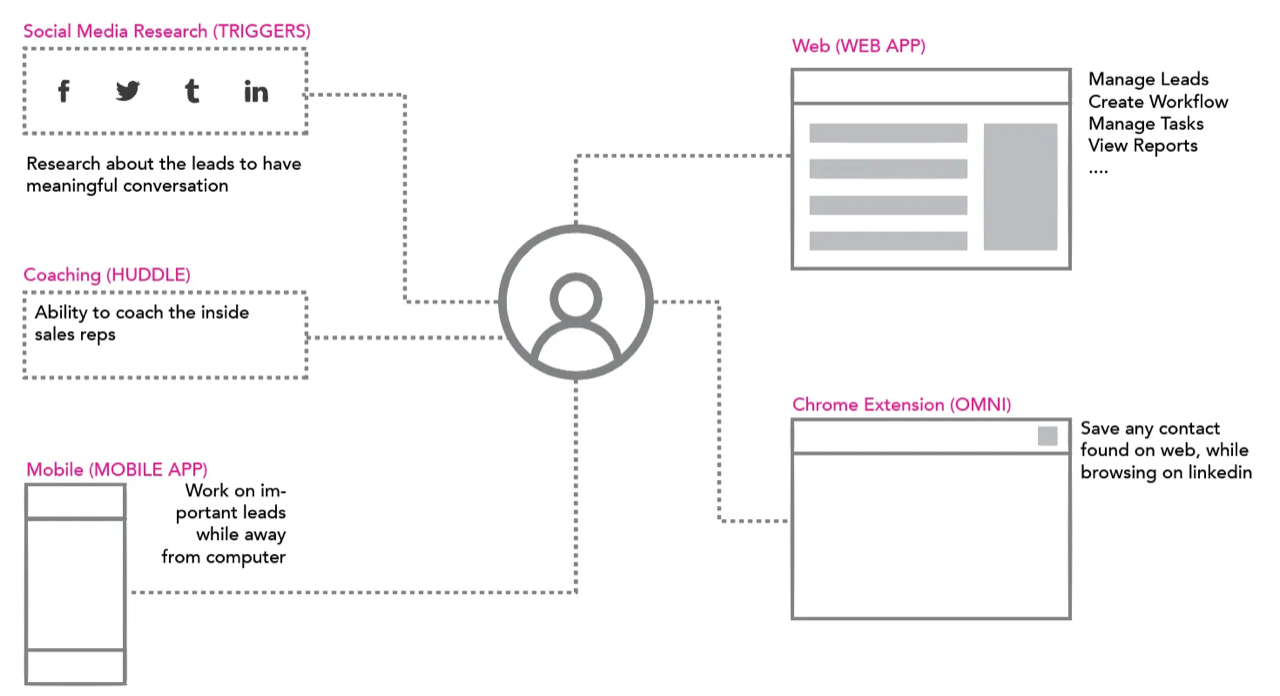
The redesign focused on activity-centric dashboards. Key objectives included:
A lead likelihood to buy increases if first query gets immediate response
Additional priorities:
- Standardized outreach ensuring predictable team output
- Social media integration for warmer leads
- Chrome toolbar for smart prospecting
- Conversation monitoring tools
- Mobile apps for remote teams
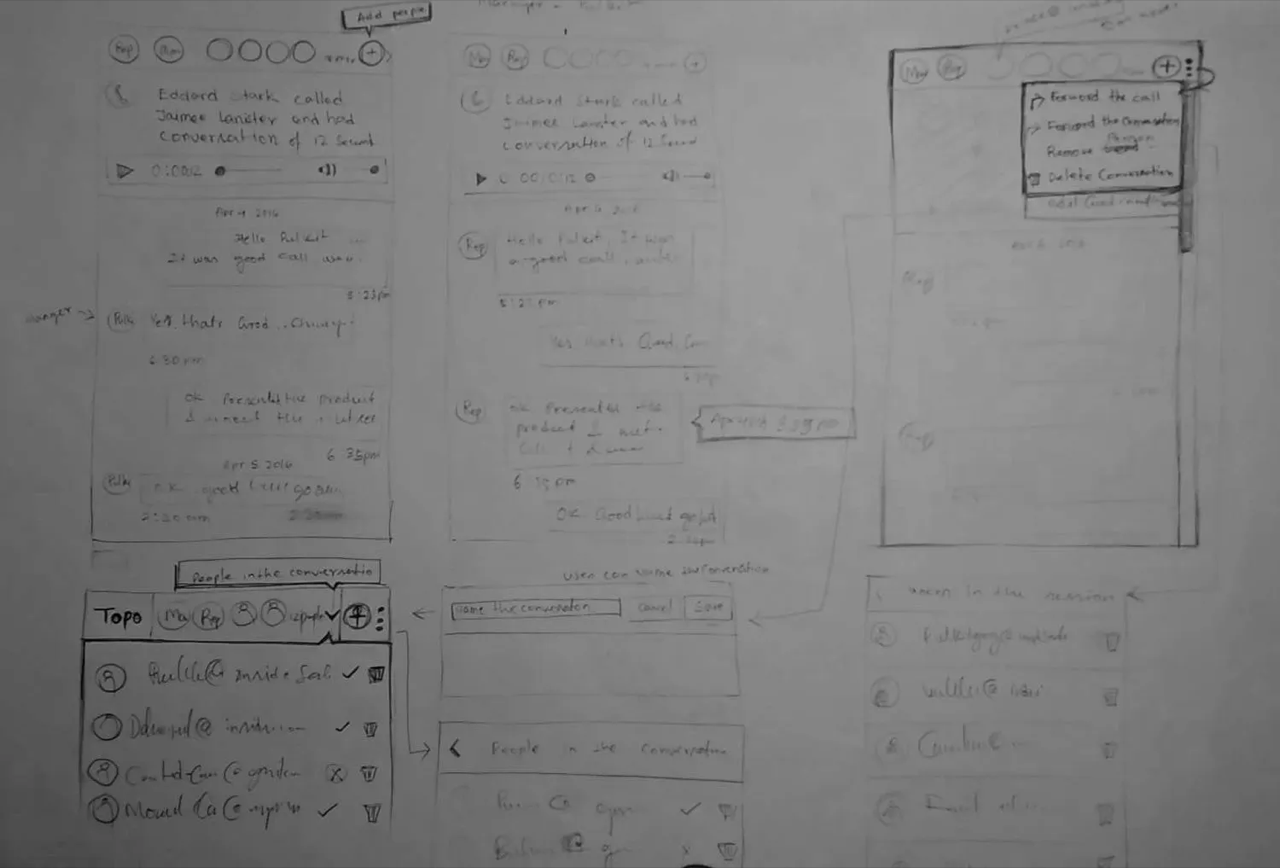
Design Explorations

Product Visualization
1. Quick Response to Inbound Queries
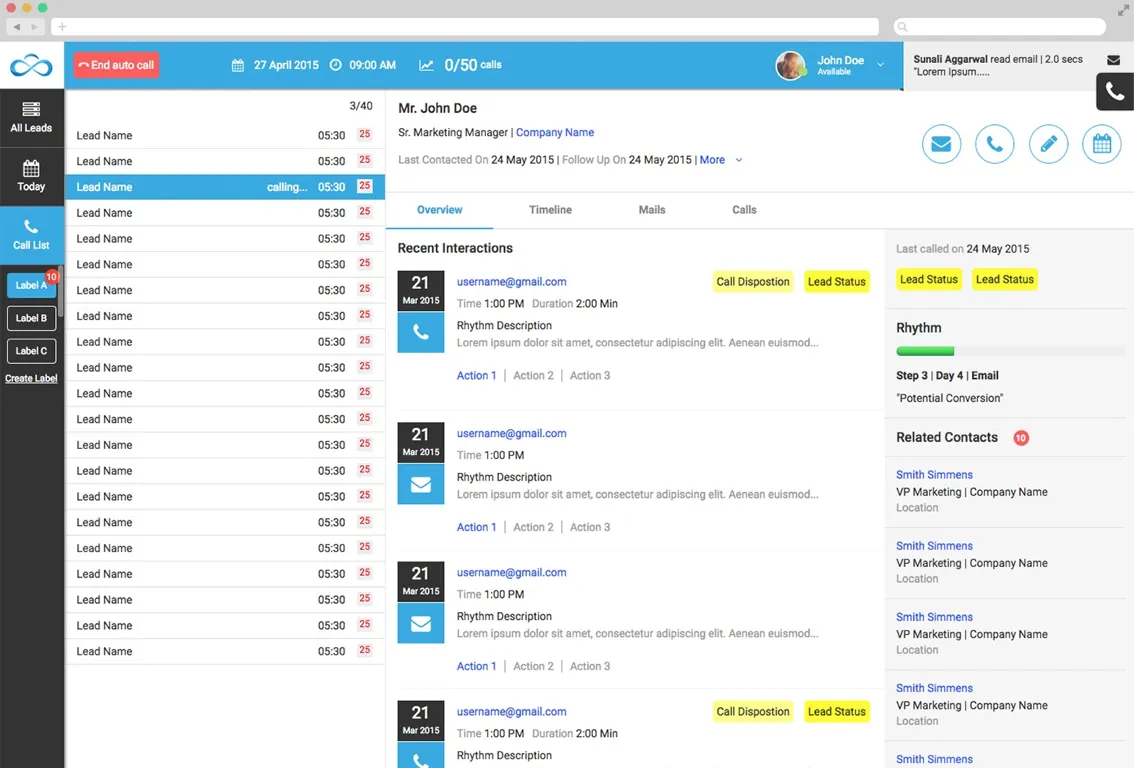
Inbound queries now appear as persistent notifications requiring action before dismissal.
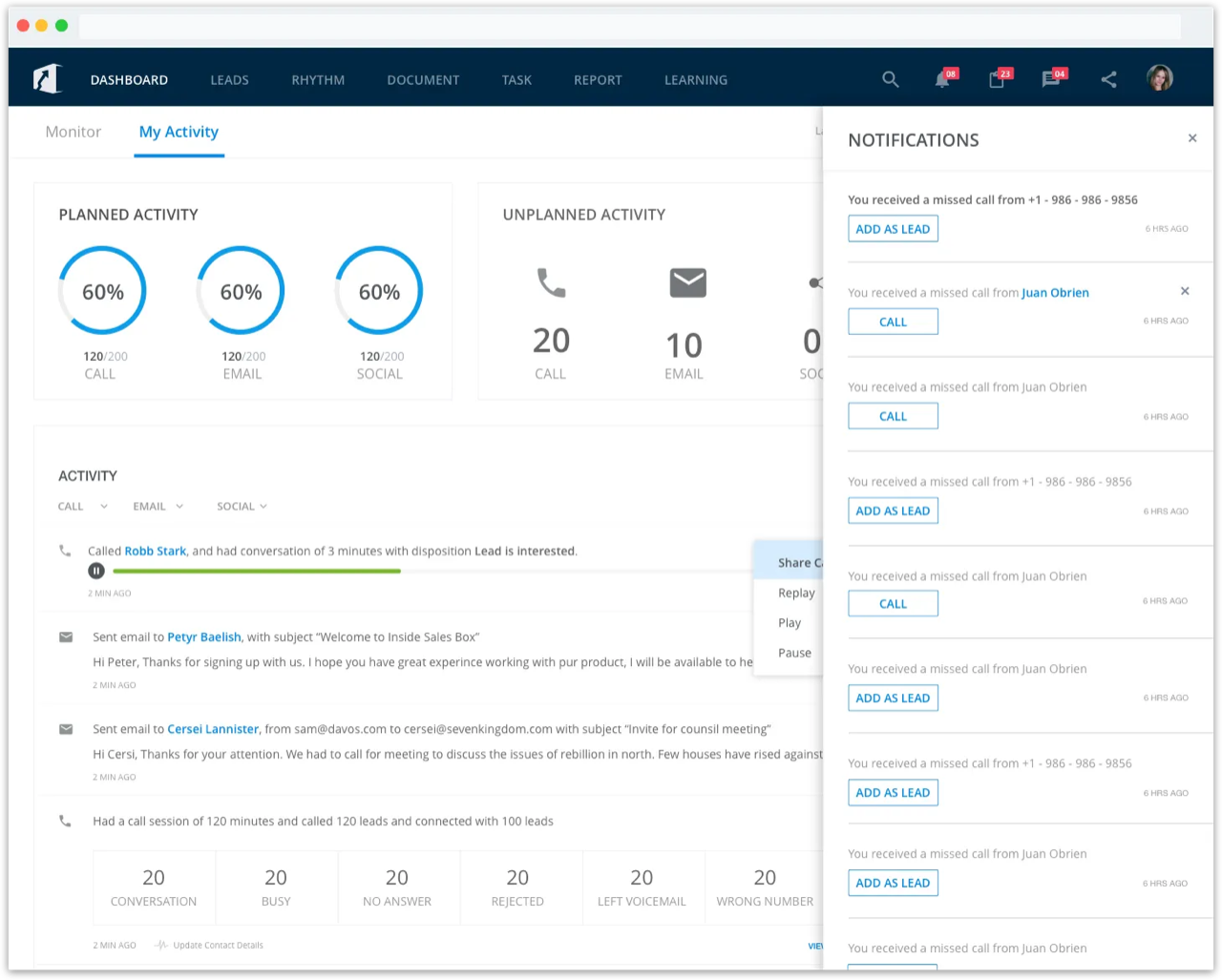
Time to respond to unattended calls reduced to 60 minutes
2. Standardization of Sales Process
"Rhythm" is a workflow ensuring consistent lead outreach following standardized steps.
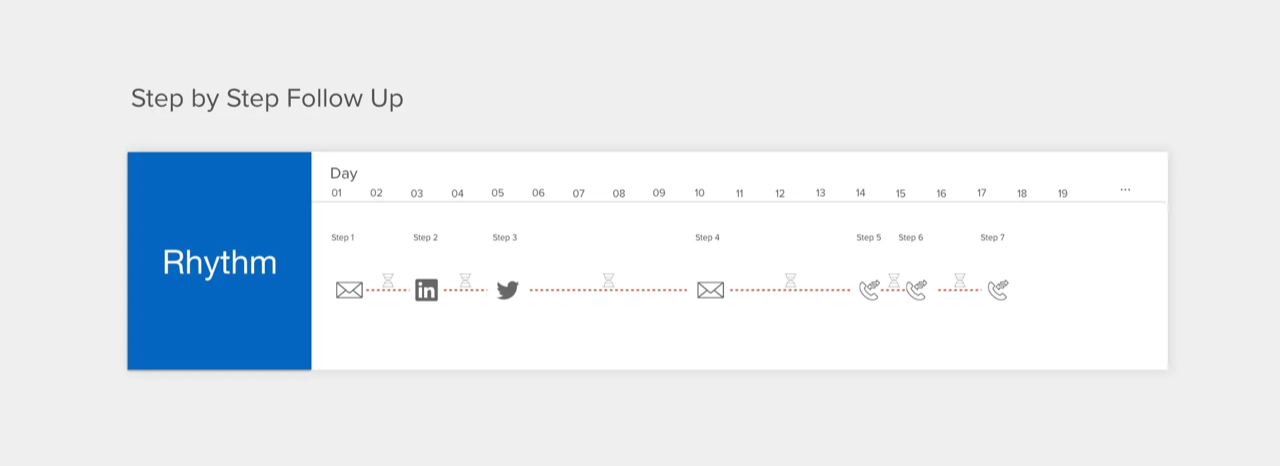
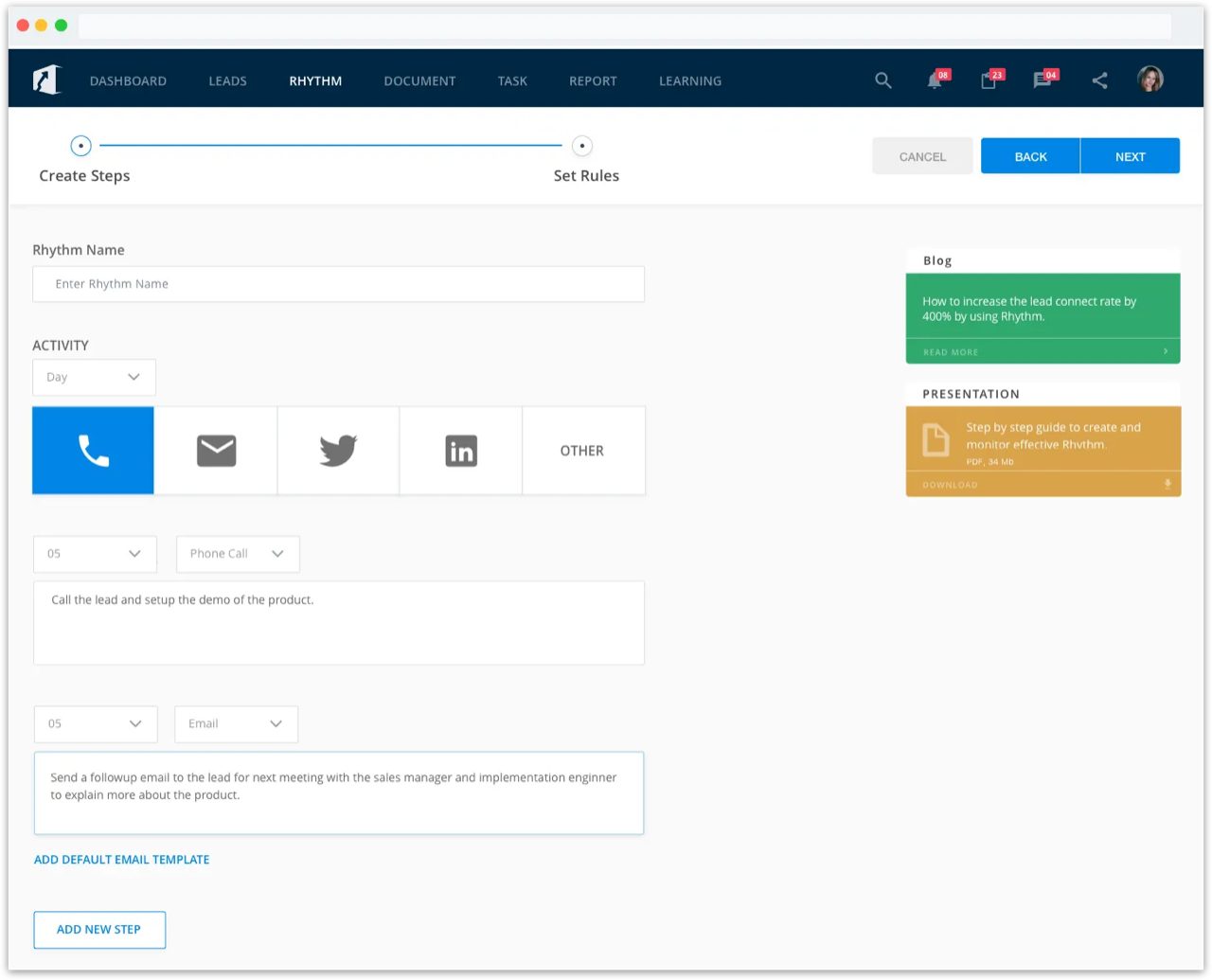
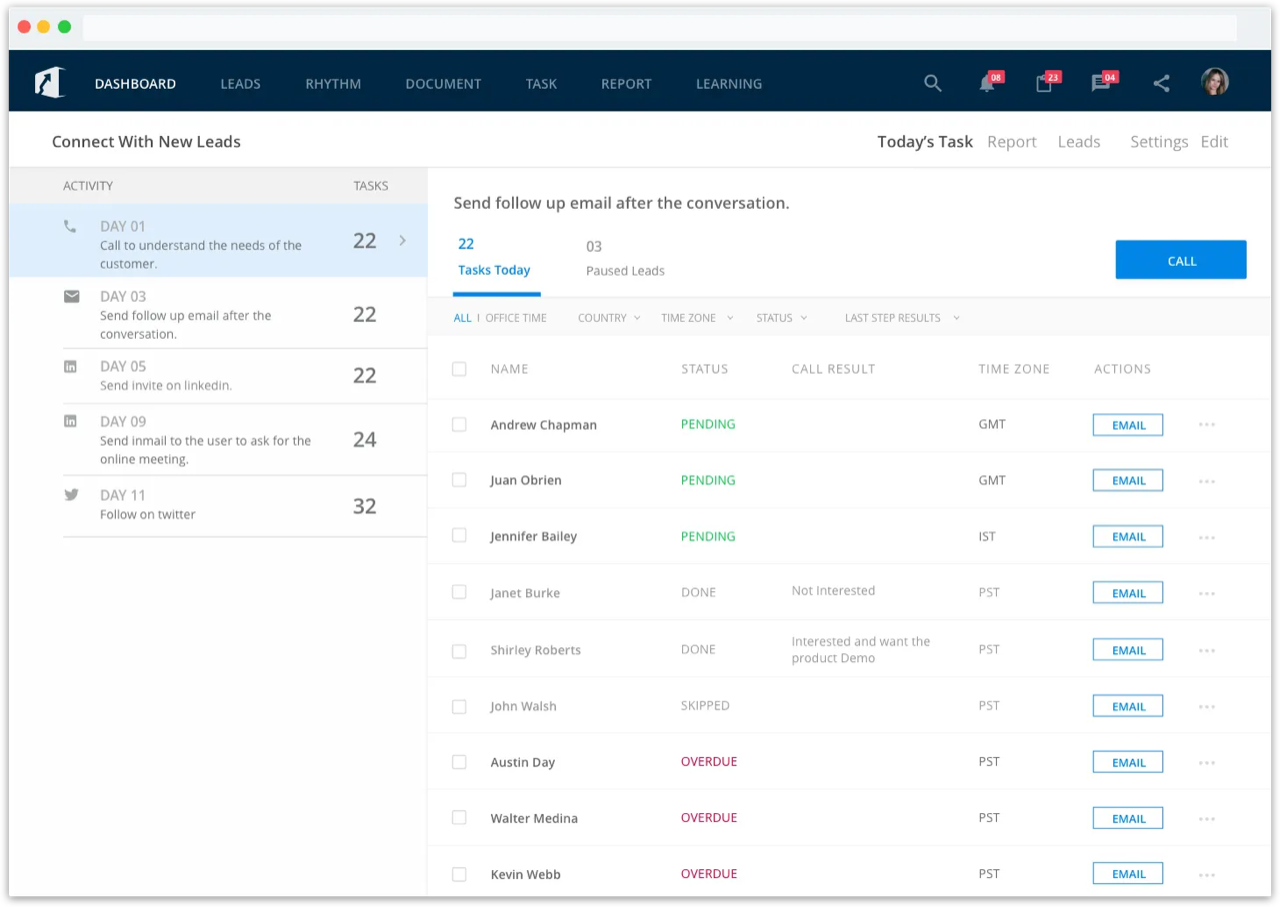
Process-driven calling increased connect rates by 3X
3. Social Media Integration
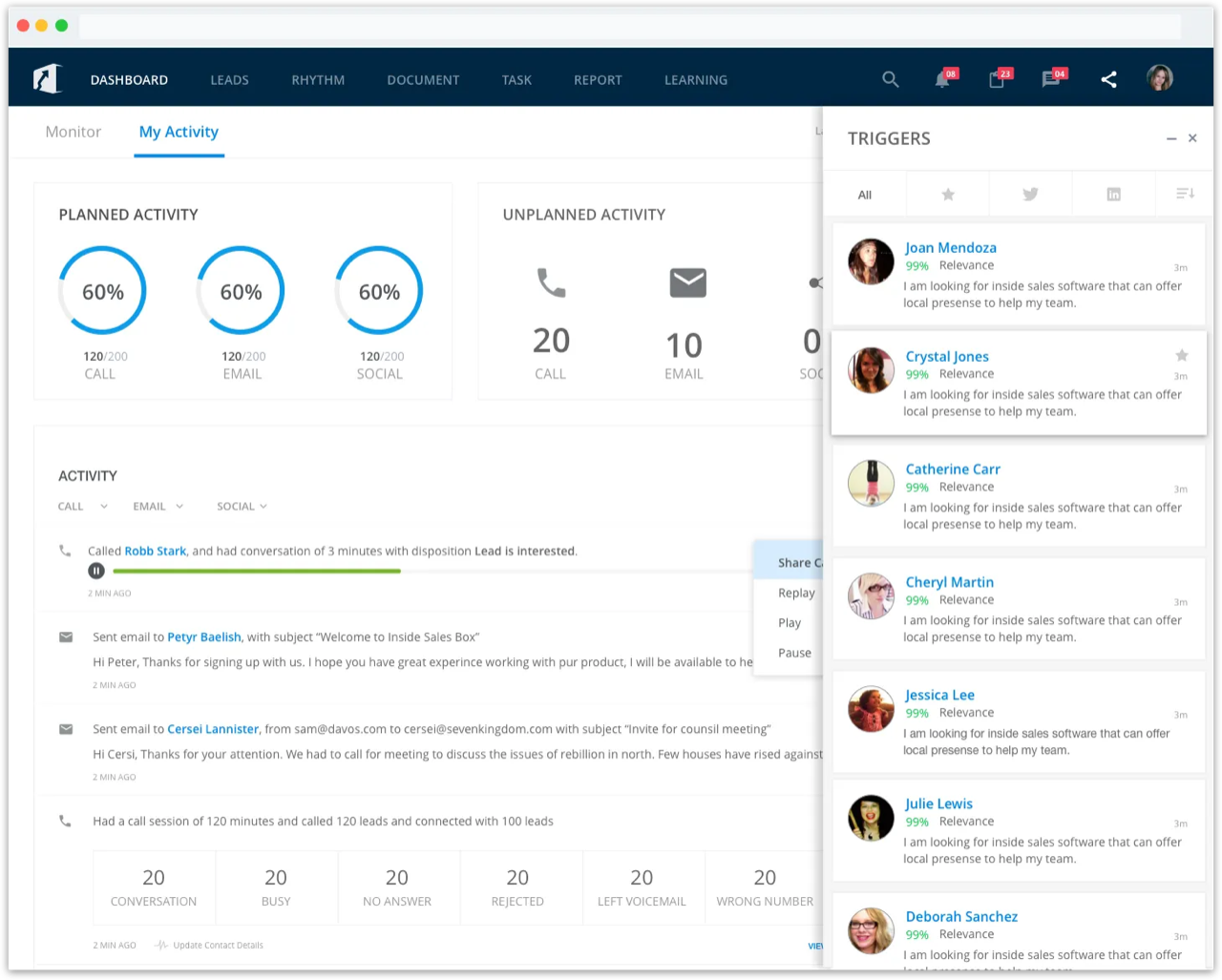
"Triggers," a machine learning tool, identifies relevant content posted by leads matching business keywords.
5. Monitoring Process Effectiveness
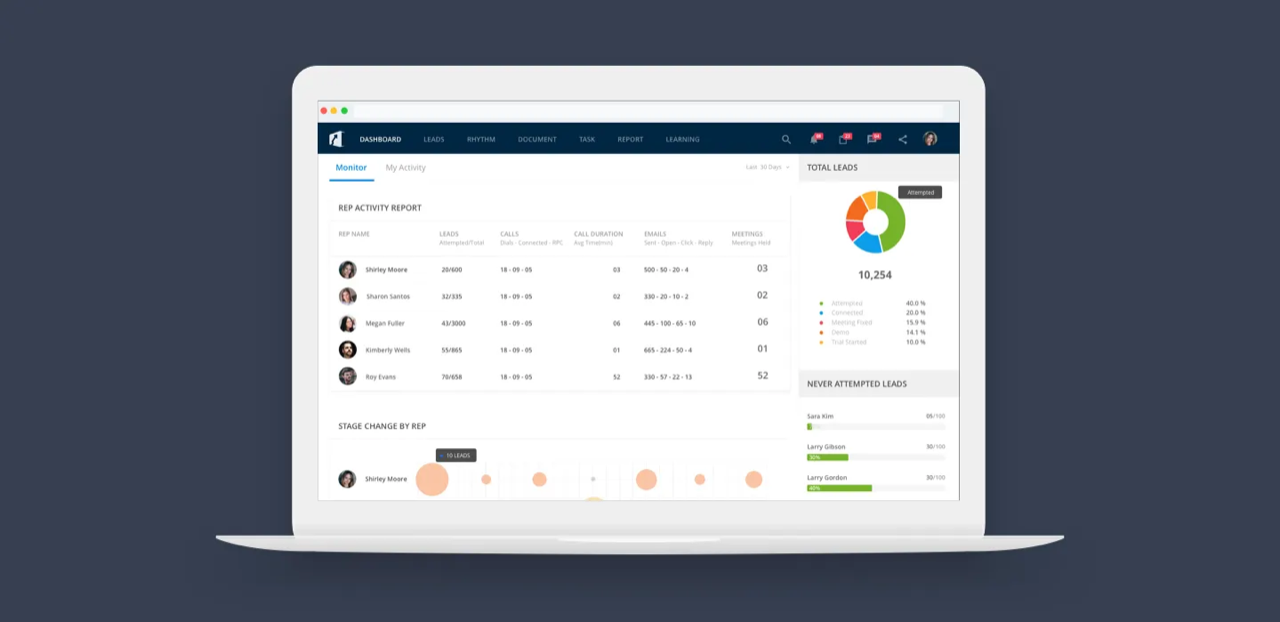
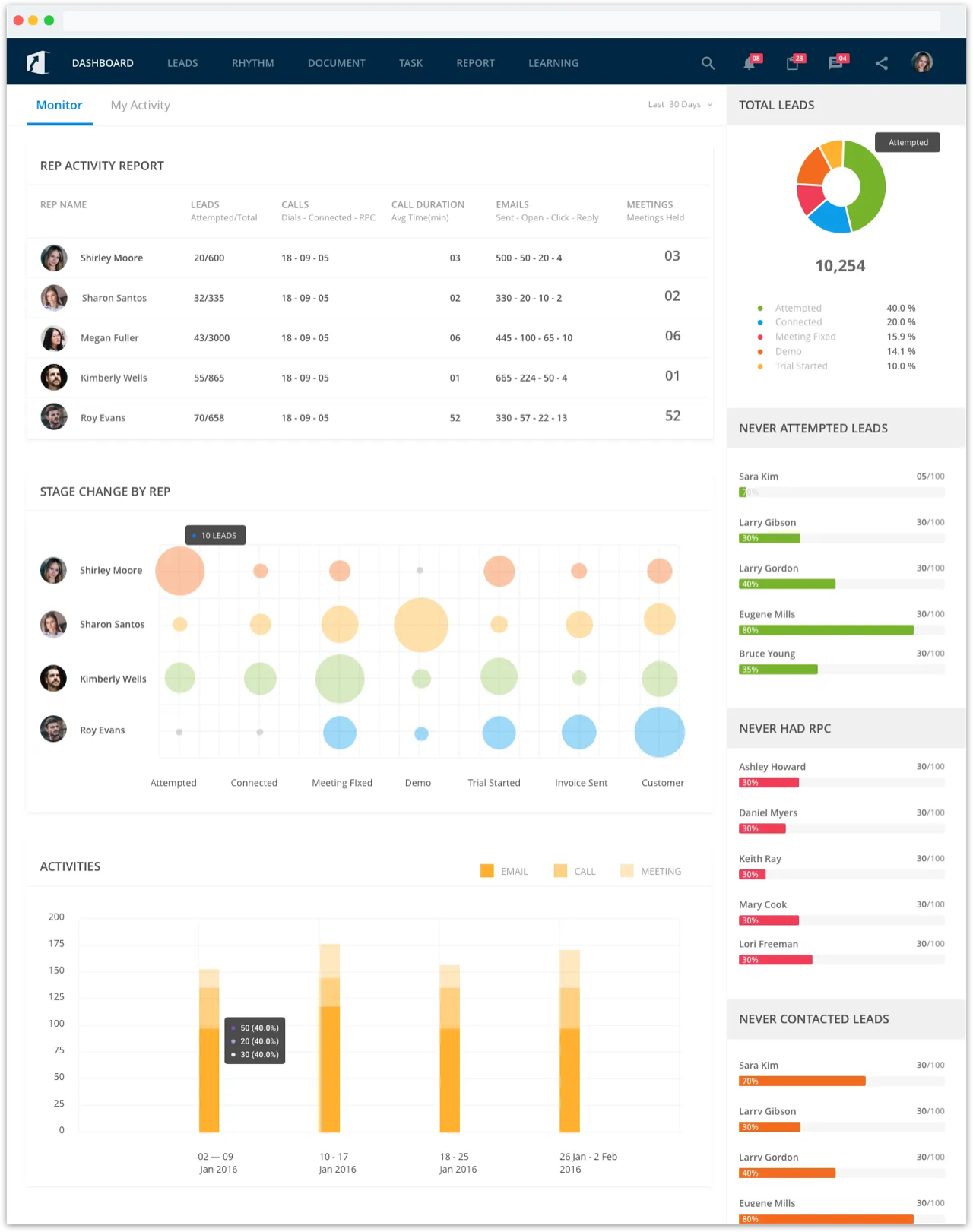
Dashboards display overall rep efforts and meetings generated.
Product Testing
Both qualitative and quantitative testing informed product decisions through weekly user testing sessions examining user behavior and platform usage.
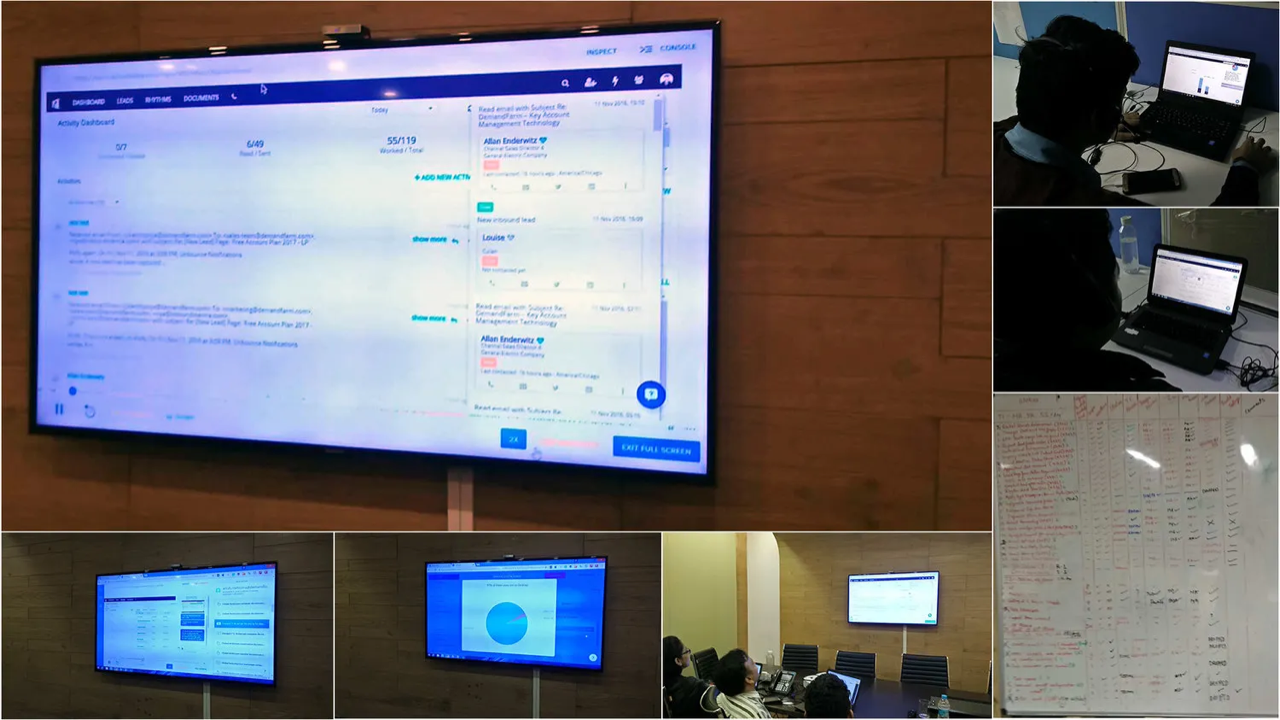
Sales demo to conversion increased by 300%