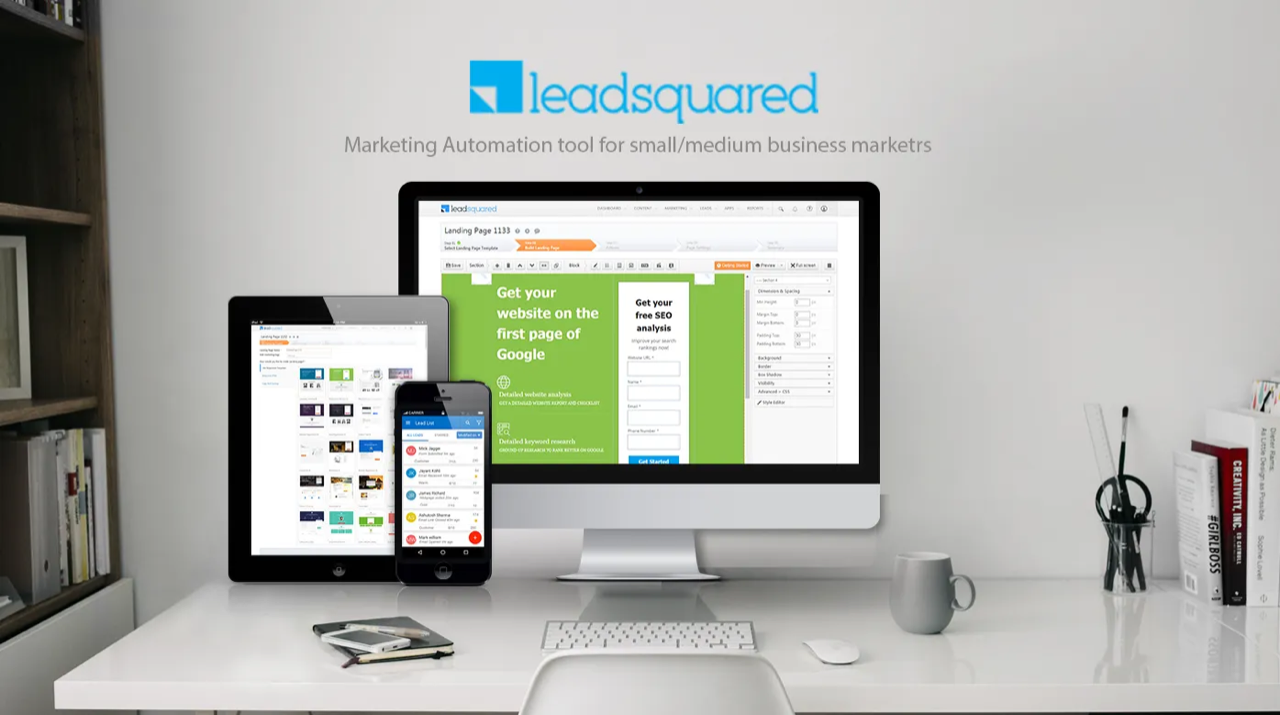
LeadSquared: Marketing Automation Tool
2010 was the year when digital marketing was becoming mainstream, many companies were trying to solve the gap between Sales and Marketing. Marketing was becoming more data driven and scientific to achieve better ROI. Companies were adopting inbound marketing extensively and outbound marketing selectively.
LeadSquared was founded with the vision to simplify digital marketing with all-in-one marketing tool.
My Role
As a founding member, I led market research and product design. I designed the product based on company vision and market requirement.
We conceptualize the product and tested early prototypes with users to understand the customer pain points.
I was responsible for product design from 2010–2014, that helped LeadSquared acquire first 250 customers.
Product Vision and Market Research
I worked closely with CPO, CEO, and CSM to understand the market and product need. Using insights from user behavior we designed natural workflow to help user achieve their goals.
User Research and Competitors Study
We hired marketers from different companies who were using marketing automation products from competitors. We conducted user interviews with marketers to understand the scope of work, marketing goals and day to day challenges.
Experience Strategy and Vision
To keep the designs future ready and help it maintain consistency across the complete enterprise suite. I created design principles and product strategy/methodology that helped the design team align with the ideas and faster decision making.
Product Definition and Scope
We were a startup and needed to respond quickly to the user feedback hence we followed agile methodologies. We did not create a comprehensive product document but we created guidelines to help focus on the product in such a way that business needs and customer needs were aligned to solve 80% of problems.
Design Prototyping and Execution
The scope of each sprint was decided by the CPO and CTO. Design team kept the list of key problems that were identified to solve in next three months and prototypes were designed and tested before the development.
I dedicated 20% of my time in ongoing sprint to ensure that development team and product managers have all the support for flawless execution.
Design Validation
After deployment of any new feature analytics team shared the quantitative data on the usage of the new features. Based on engagement indicators of the analytics onsite visits to customer sites were planned to understand how they work with the product.
Go To Market Strategy
Build fast — Ship fast — Low cost
The larger vision of build the product was to build it fast and allow the users to use them. We used agile development process and ensured that every two week user has at least one new feature to explore.
User Research and Customer Insights
Interview with the marketers indicated that very few marketers were completely aware of the digital marketing. Focus of digital marketing was buying leads from third party and sending bulk emails.
Key User Insights
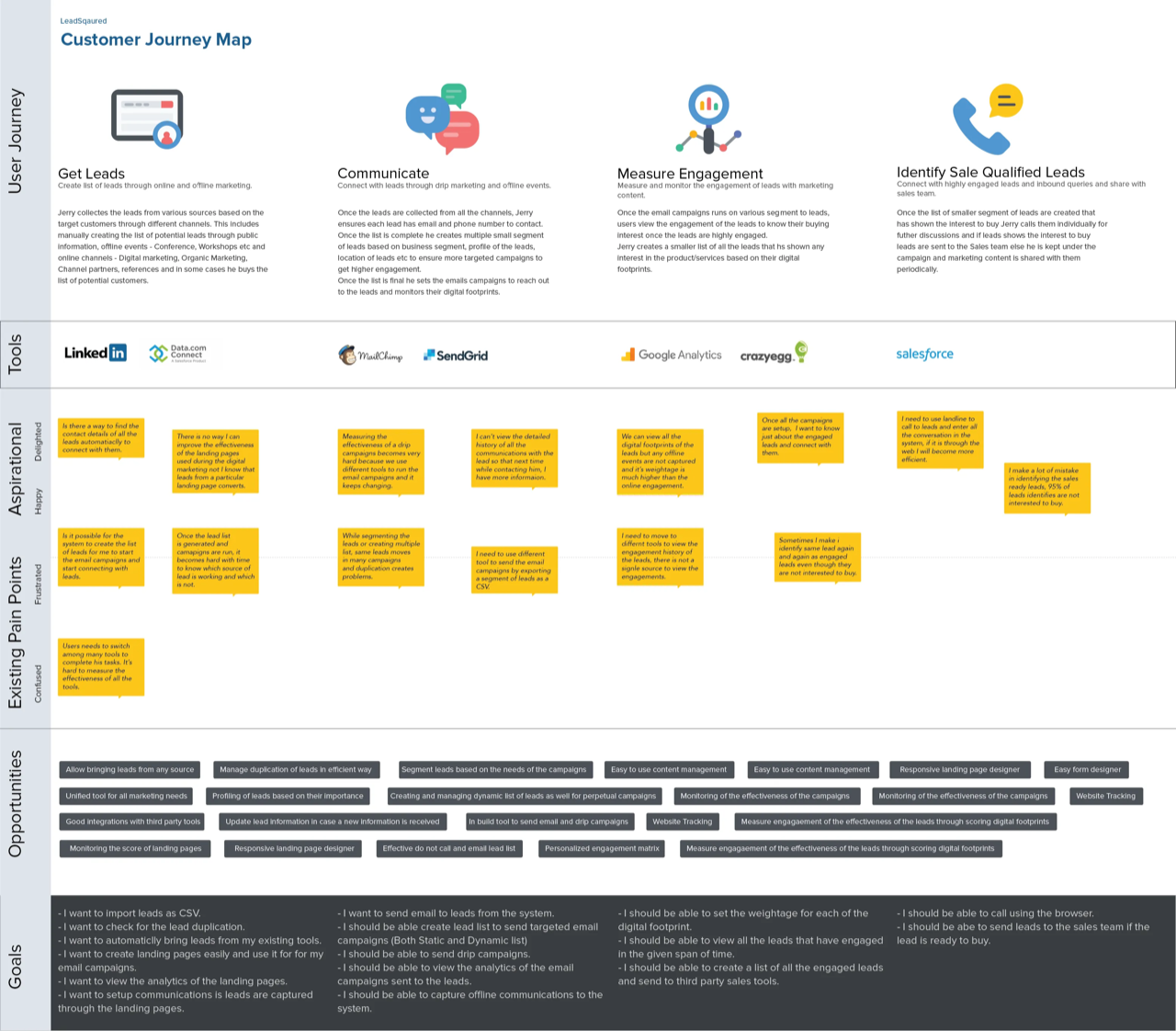
Insights discovered during the market and user research that can help the product meet the user goals and make it market ready were following
- Single place to manage master data of leads.
- Creating segment of leads to run the marketing campaigns.
- Efficient content management.
- Easy to use landing page designer.
- Ability to create drip marketing campaigns.
- Monitor most engaged leads after running the campaigns.
- Send qualified leads to sales team.
User Persona
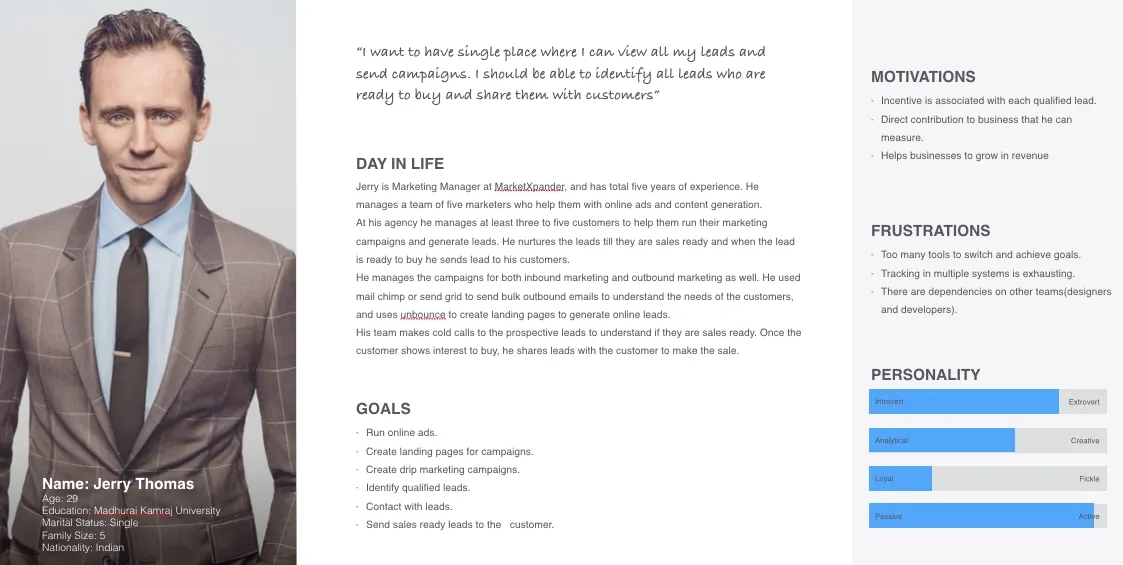
Users that use marketing automation tools were Marketer (Multiple Levels), Content Creator, Designer and Executives of the organization. As the size of the company increases multiple roles want to restrict the permissions on the product. To keep the product simple the focus was to create the design of just one persona.
What users wanted to achieve through marketing automation
Users of marketing automation had following task to generate online leads.
- Create content: Emails, CTA buttons, White papers, Web forms, Videos, and Presentations.
- Manage Leads: Lead import, Lead list management/segmentation.
- Automation: Ability to send email campaign to new leads for nurturing.
- Campaigns: Send campaigns through various media to engage leads and gauge their interest.
- Reporting and Dashboards: Monitor the engagement of leads and campaigns.
User Stories
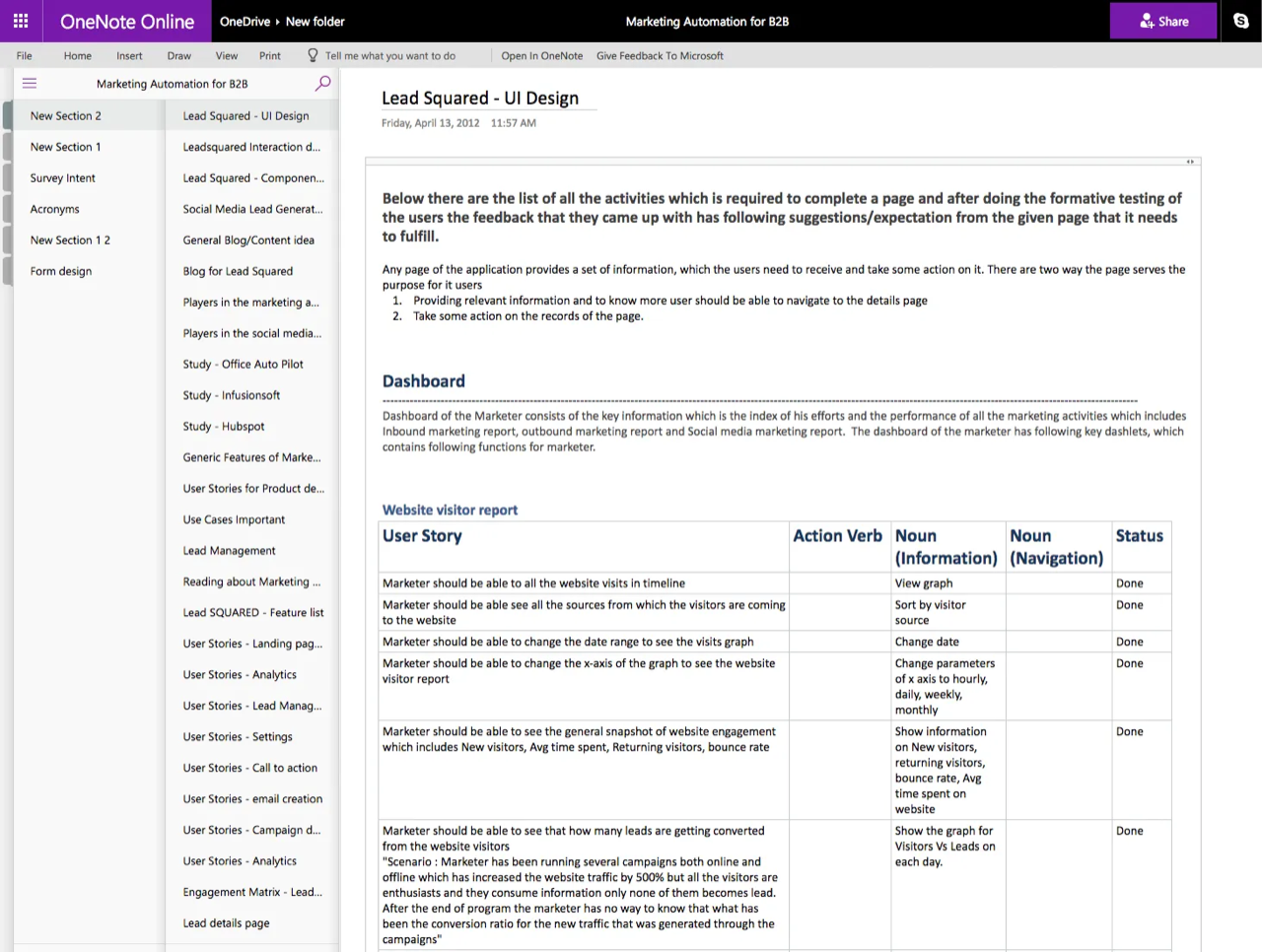
Any activity that user wants to complete on the product is user stories. Story is the indicator of any new feature in the product. While working on enterprise product the number of stories keeps increasing throughout the product lifecycle. It was important to document all the stories and keep track of them before making any design decision.
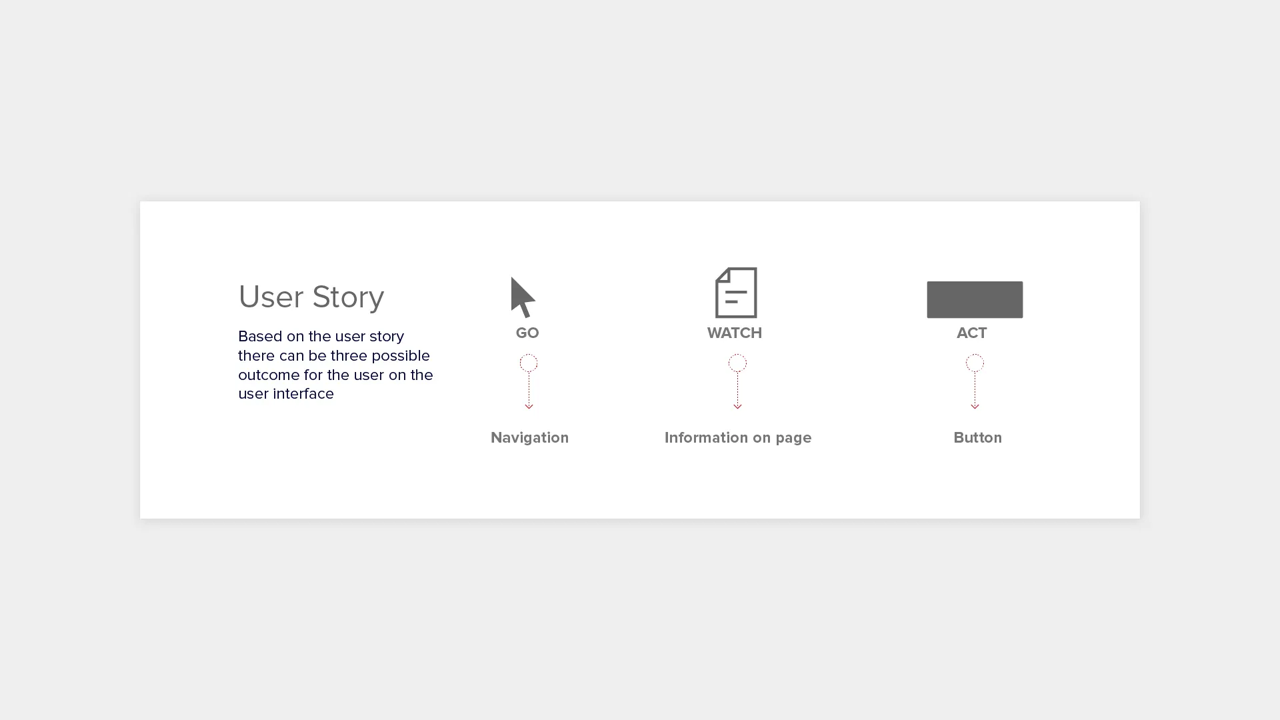
To make things simpler we decided to stick to basics of interaction design and mapped every story to Go> Watch > Act. Where Go indicates navigation, Watch indication information display and Act indicates action.
Brand and Visual Identity
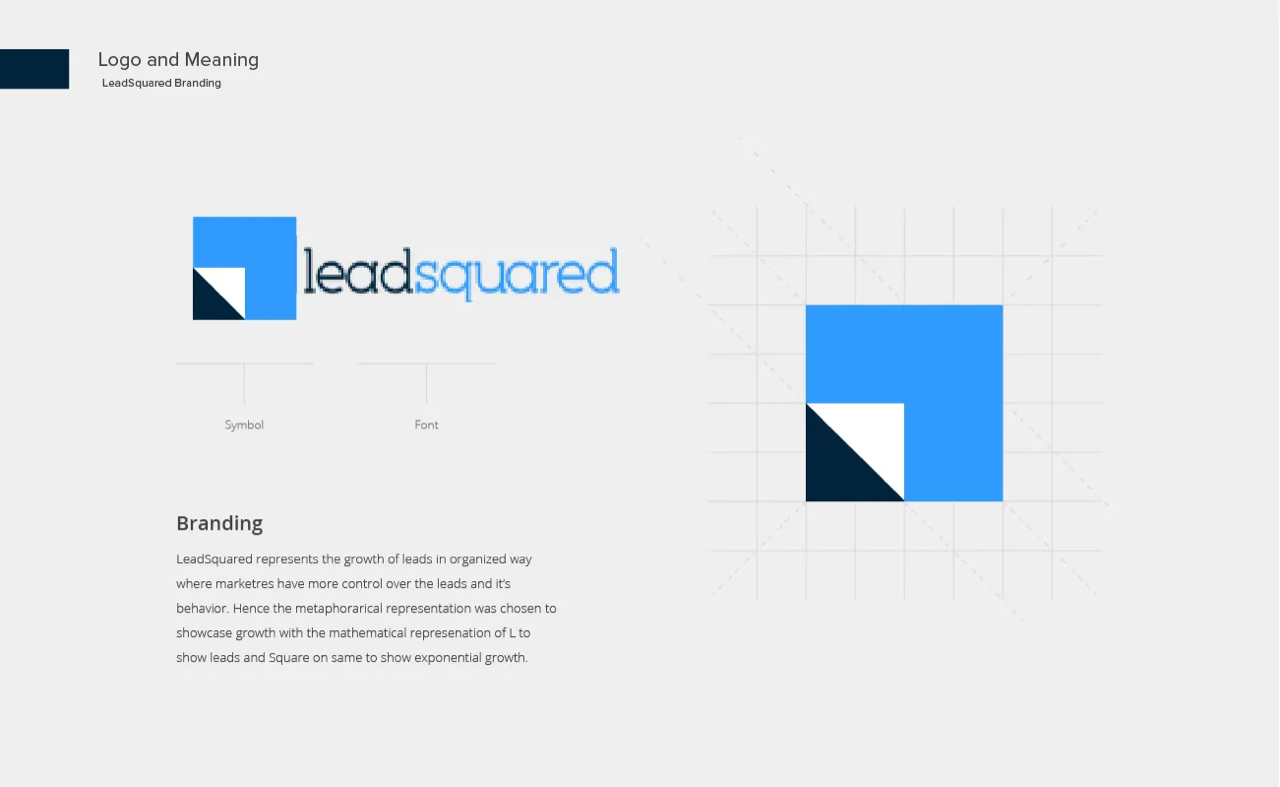
Before the product design, one of the key challenges was to freeze the identity of the product and company. We identified couple of the attributes and that led to the design of the corporate identity/logo design.
- Professional and modern.
- Increase leads exponentially.
Product Visualization for Marketers
Larger vision of LeadSquared was to provide single interface to manage leads, create content, send campaigns and analyze the data to identify most promising lead by capturing the digital footprints. Step by step method to create leads using LeadSquared are following
- Capture Leads though Landing pages.
- Manage all the leads at one place.
- Create target segments to run a marketing campaign.
- Create and schedule a campaign.
- Monitor/Analyze the campaigns.
- Identify highly engaged leads that are ready to buy automatically.
1 — Capture Leads Through Landing Pages
Landing pages are the web pages where leads land on the website. There are two kind of landing pages, one is just an HTML page and other is lead capture page.
HTML page is a webpage where leads visit and consume the marketing content displayed there. The engagement of lead on the page is captured and later used to understand their interest. After receiving the contact details of the lead, automatic workflow runs to send acknowledgement to the lead and send details to respective marketer to followup.
Lead capture page is a webpage where web forms are embedded so that lead can provide their contact details and interest. Lead capture pages are most important because they provide direct contact of the buyer.
Designing and Publishing the landing page was very difficult for the marketer, because it has many dependencies. He needs to contact designer for landing page design, technical team to publish the page and create communication workflow.
If the landing page is not performing well then he needs to repeat the whole cycle to get a new page published.
The idea for landing page design was to make it simple enough to the marketer to create, publish and change without any help. Guidelines to achieve were following
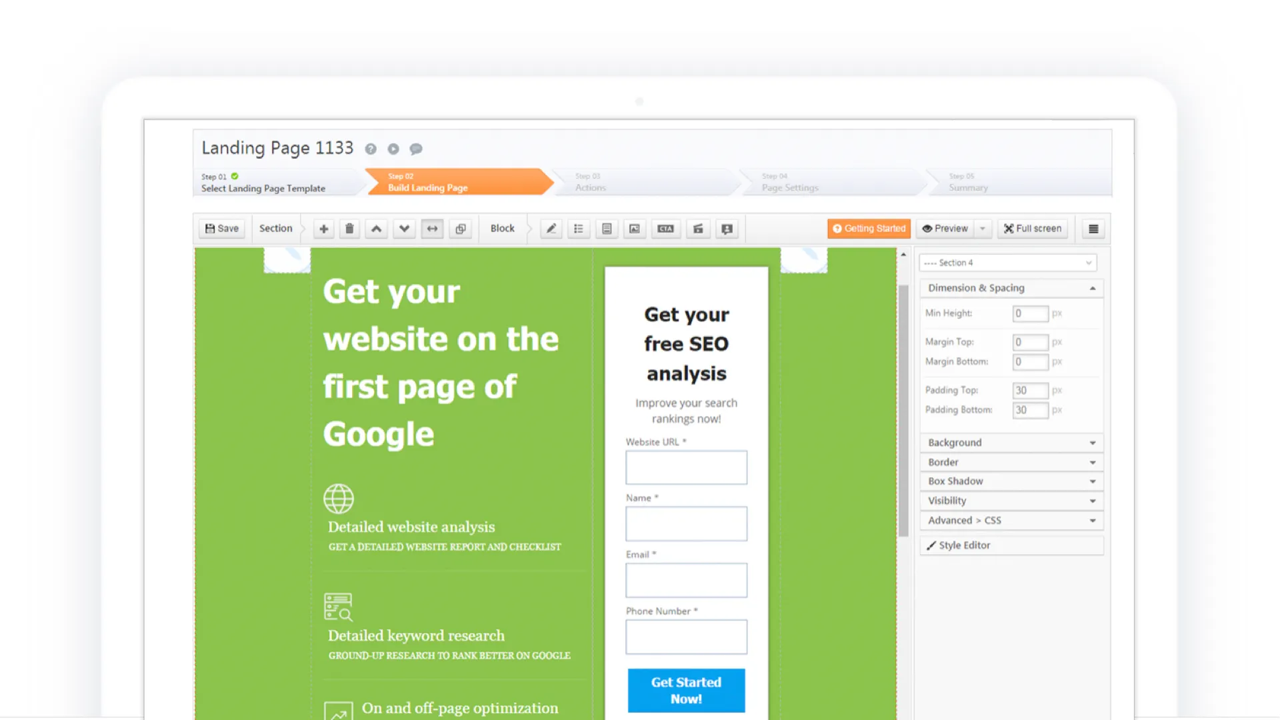
- A wizard to indicate each step so that when wizard completes landing page design will complete.
- Easy to use templates for new design.
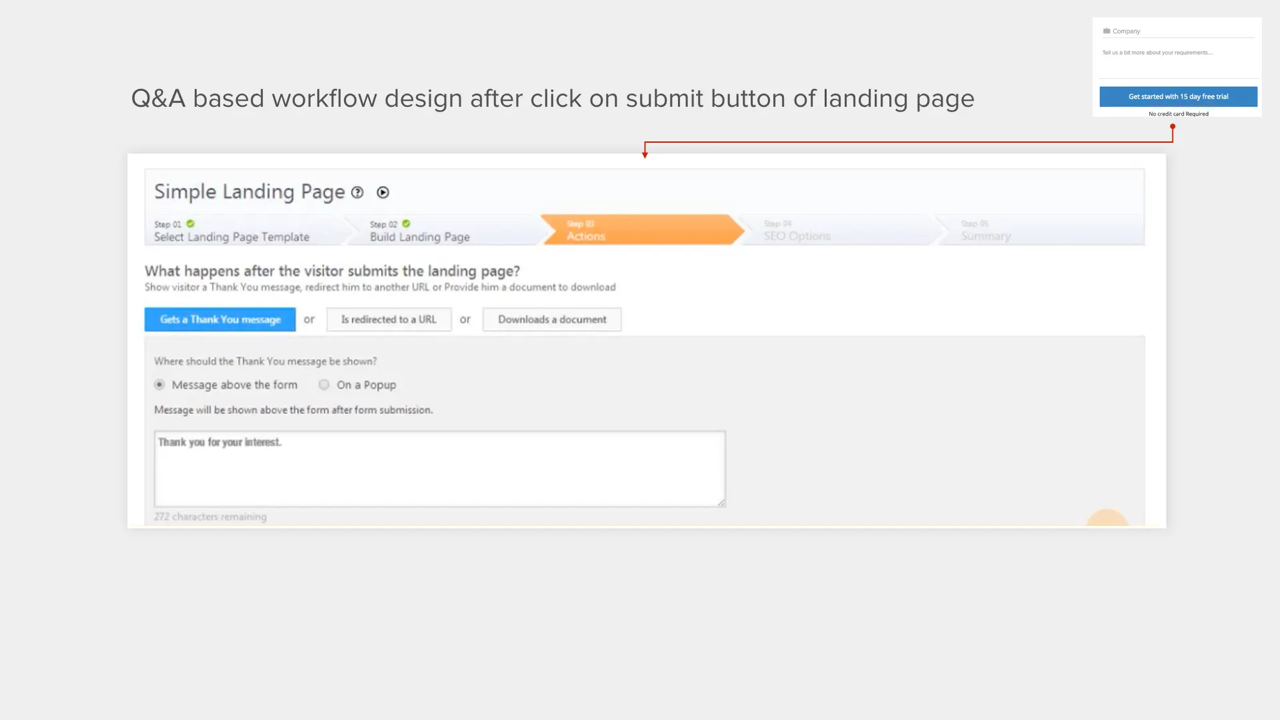
- Question and answer based workflow design.
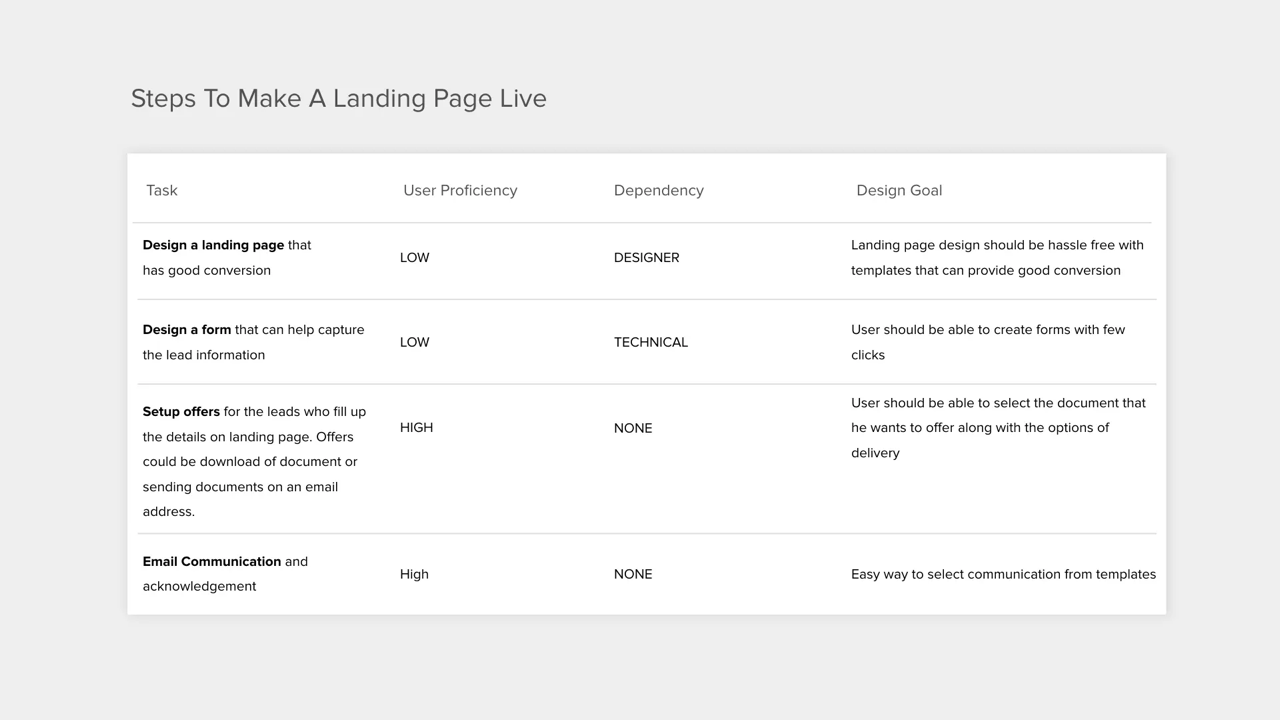
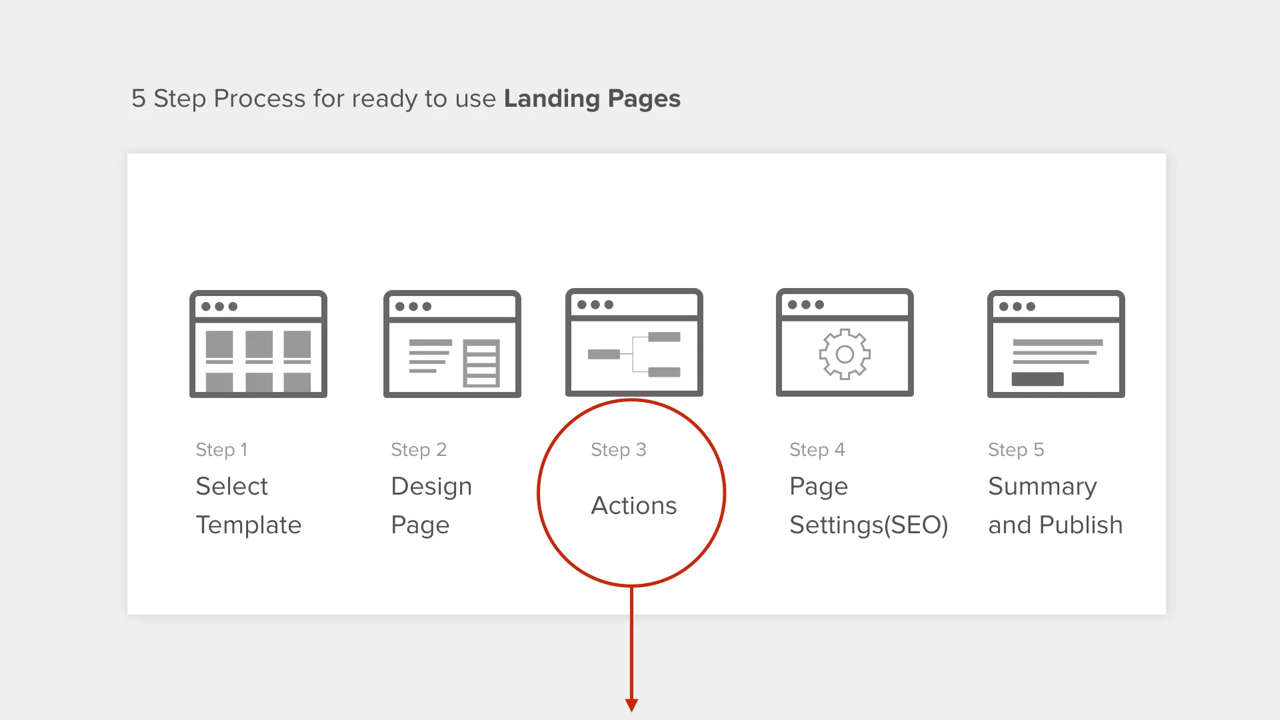
Requires steps to design a landing page
Q&A based approach to design workflow
2 — Manage All Leads at One Place
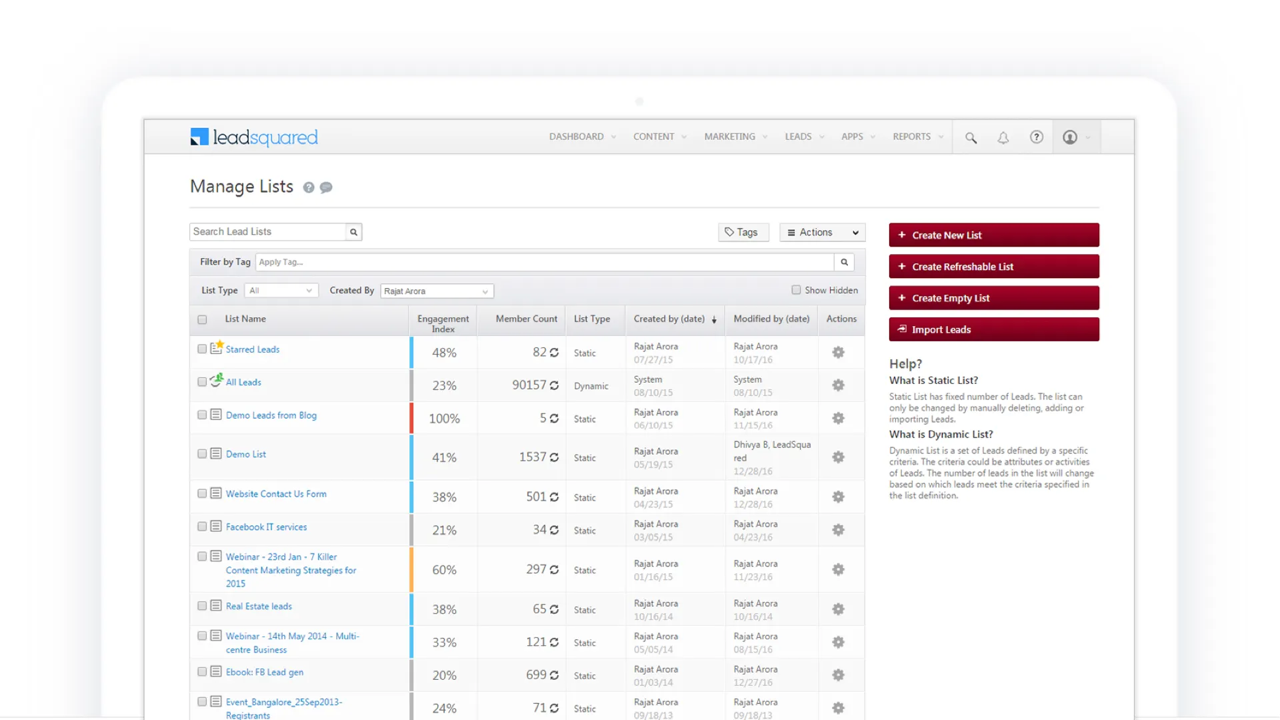
Manage leads is a page where user can view, search and filter all his leads. We provides single interface to the users to import all his existing leads showed all leads captured online at one place.
3 — Segment Leads for Targeted Marketing
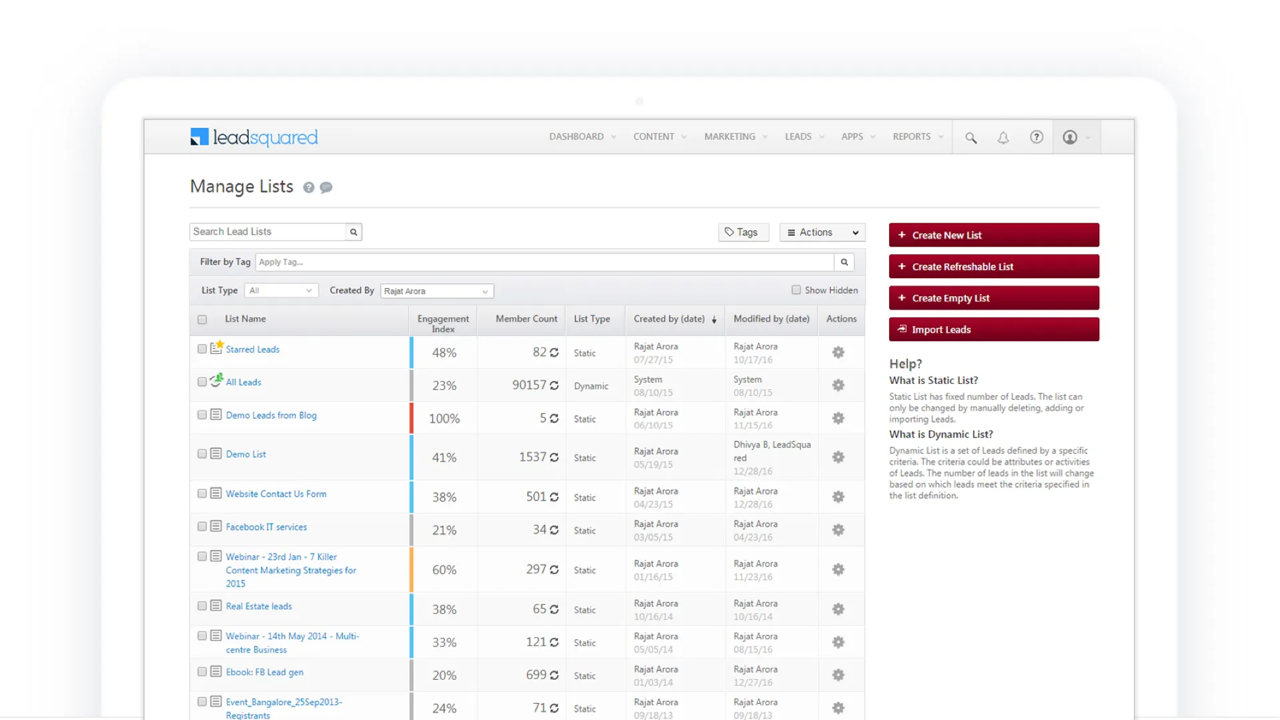
Marketing campaigns are planned for a subset of the lead pool so that the messages are very relevant and campaign is targeted. On lead management page we provided users an option to search for leads based on rules and create small list. Users can create multiple lists for various campaigns. The list is of two kinds.
- Static List: It has a definite number of leads and doesn't change.
- Refreshable List: It is a rule based list where a lead gets added to the list if it meets the rule criteria.
4 — Create and Schedule Campaigns
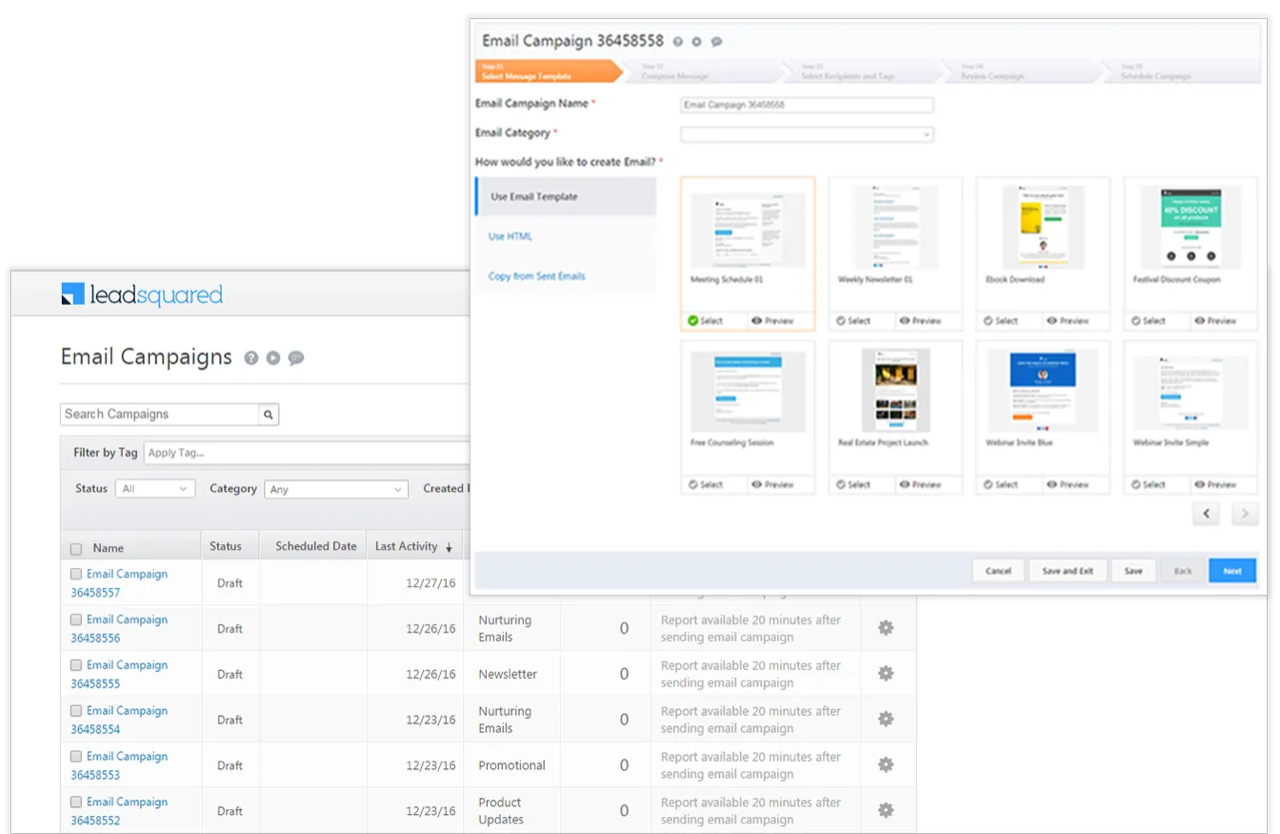
To create a marketing campaign users can set a new marketing campaign in 5 easy steps.
- Select template
- Select campaign message
- Select list to send email campaigns
- Review and test a campaign
- Schedule a campaign.
5 — Monitor Digital Footprints of the Leads
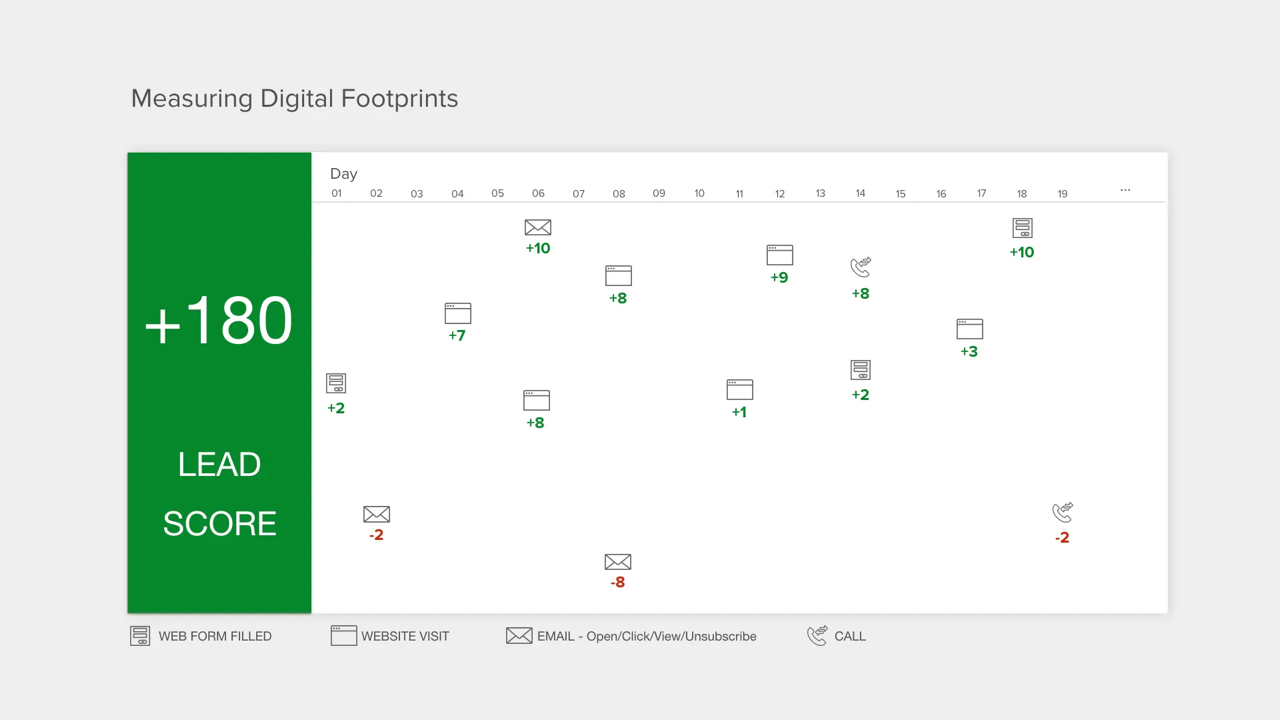
Digital foot print is a way to monitor the the interaction of leads with various marketing material present online.
Digital engagement of a lead is website visit, phone call, landing page visit, email open/click/view/unsubscribe/reply, and form filled on landing page.
This system records each and every interaction of the user and assigns a number, The sum of all interactions/numbers is called Lead Score. Higher number indicates higher engagement and more qualified lead to start conversation.
Lead engagement index
If a marketer has a million leads then it becomes impossible for him to understand overall health of all the leads. If there are leads in the system that have never been contacted then there was no way to identify the situation and act.
LEAD ENGAGEMENT INDEX indicates how well overall leads are engaging with the marketing content. Higher index indicates better marketing.
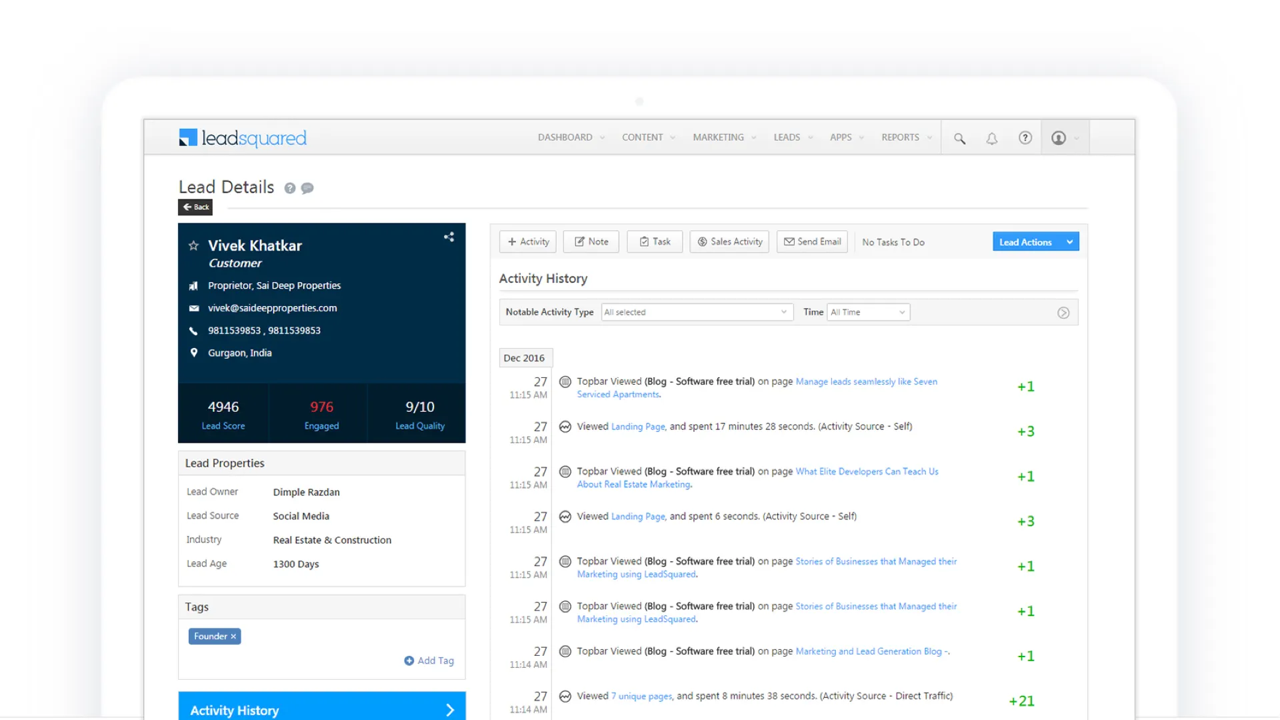
"LEAD ENGAGEMENT INDEX is over all health of leads in the system derived from the engagement score of each lead."
6 — Monitor Overall Health of Marketing Engine and Make Informed Decisions
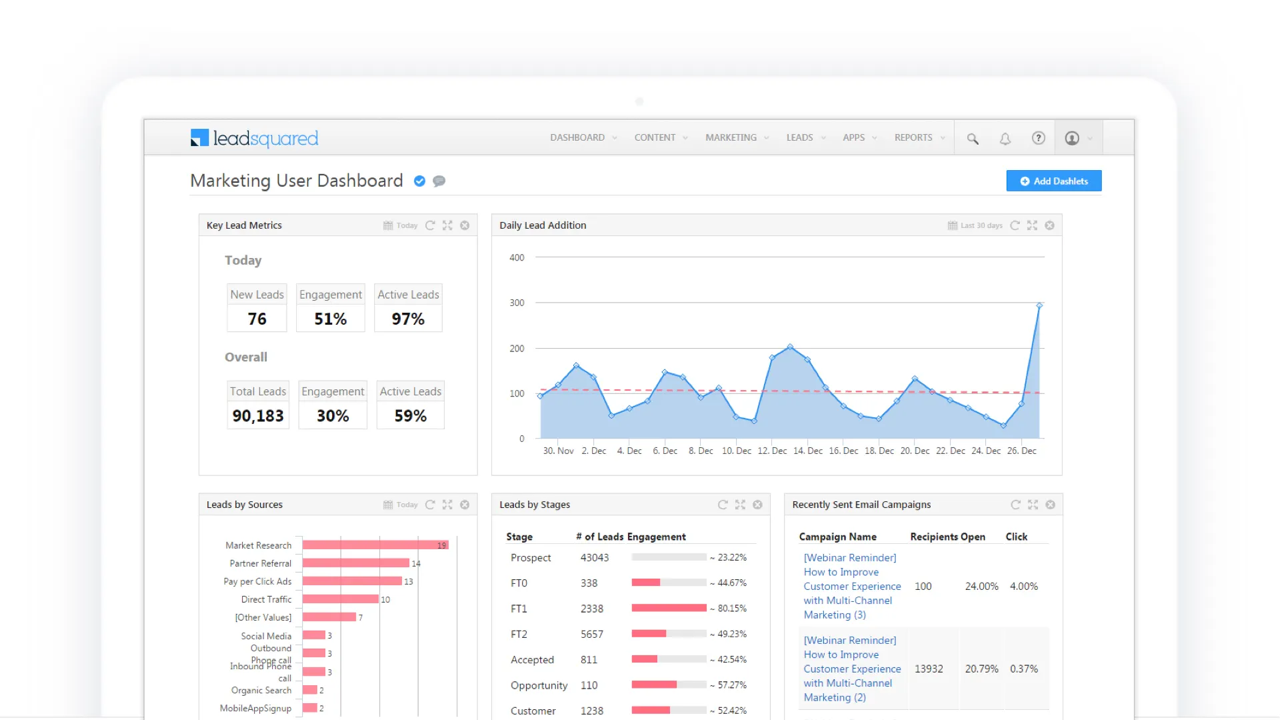
Dashboard allows users to view overall marketing efforts and funnel. Users can customize the dashboard based on the focus area of business and marketing efforts, but few key indicators are following
- Lead addition per day
- Lead distribution in system
- Leads by source
- Engagement of leads/Distributed by source
- Campaign status
Easiest Software to Use in its Category
Based on community rating on G2 crowd it has been rated as the easiest software to use in its category.