Case Study — Plix: Photo Sharing App
Introduction
Plix is a cross-device photo sharing application supporting Android and iOS platforms with location-aware capabilities. The app enables users to share unlimited photos with friends and leverages location technology to recommend which contacts might possess relevant photos.
Problem Statement
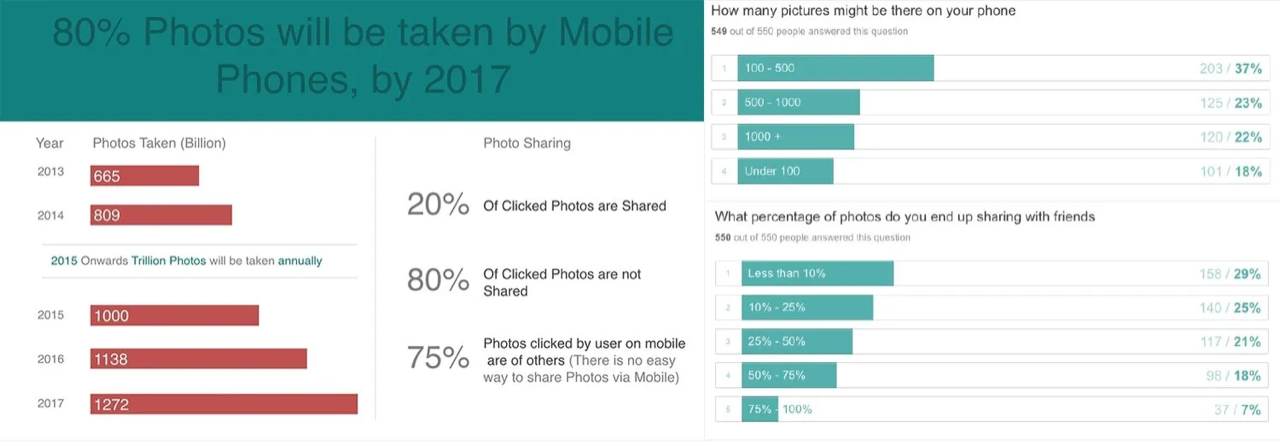
The core issue addressed was that while trillions of photos are captured on mobile devices, most remain unshared. Users frequently want to share images but lack clarity on what content to distribute and which contacts to target.
Role and Responsibilities
I managed product design and user testing while coordinating with graphic design and marketing teams.
App Concept
Four primary features were implemented:
- Unlimited photo sharing capability without restrictions (unlike WhatsApp's 10-photo limit or Gmail's size constraints)
- Friend suggestions based on shared location data at photo capture time
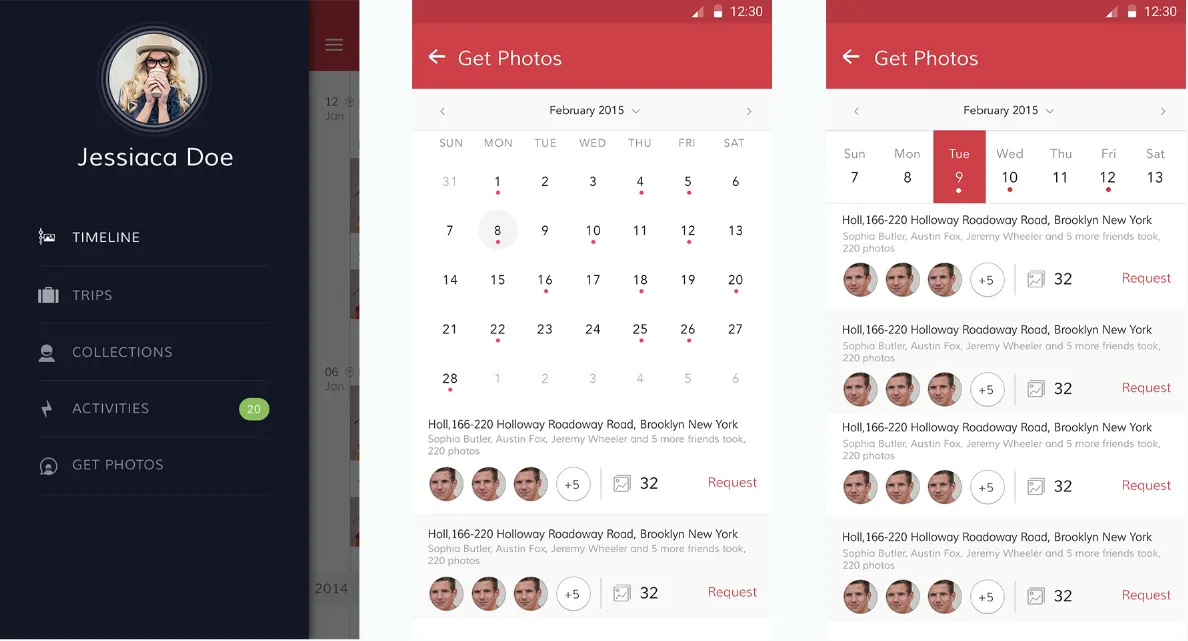
- Photo request functionality identifying friends likely to have relevant images
- Permission management for specific albums (later removed due to low usage)
Brand Evolution
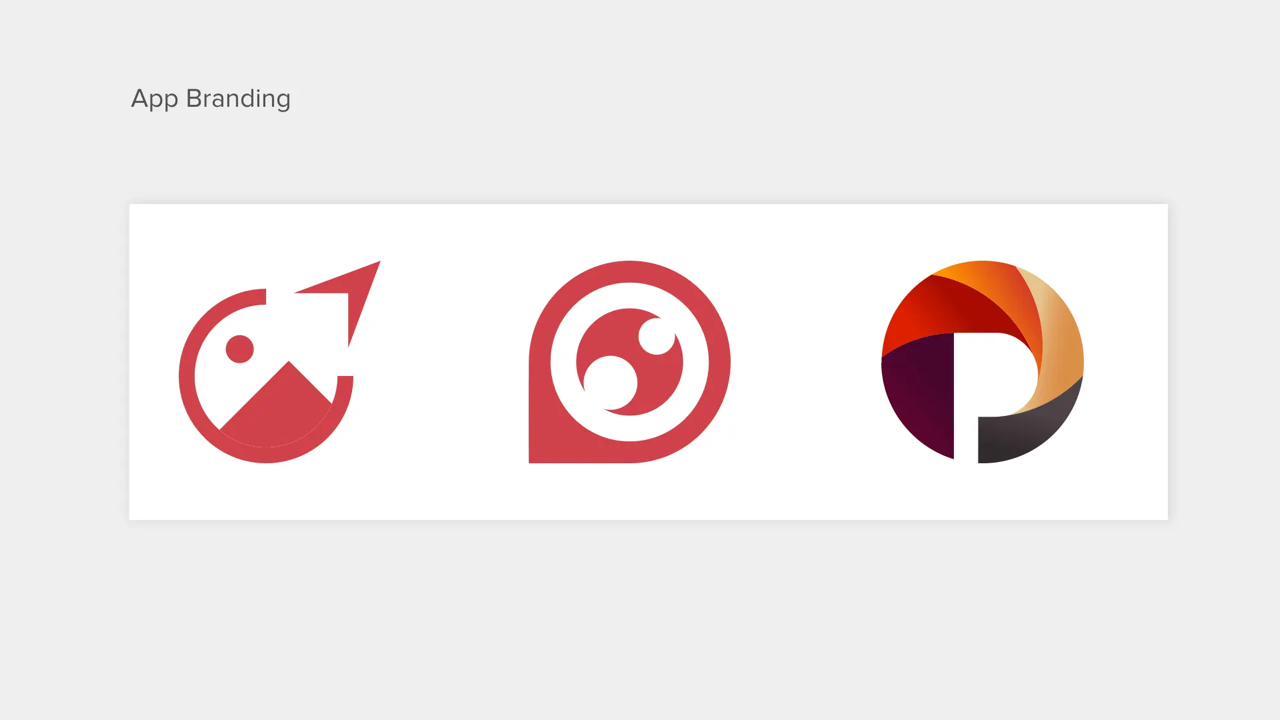
The logo evolved from typography-based design to sophisticated visual representation, with iterative refinements enabled by app store publishing capabilities.
Product Visualization
Design philosophy emphasized simplicity and goal completion with minimal user interactions.
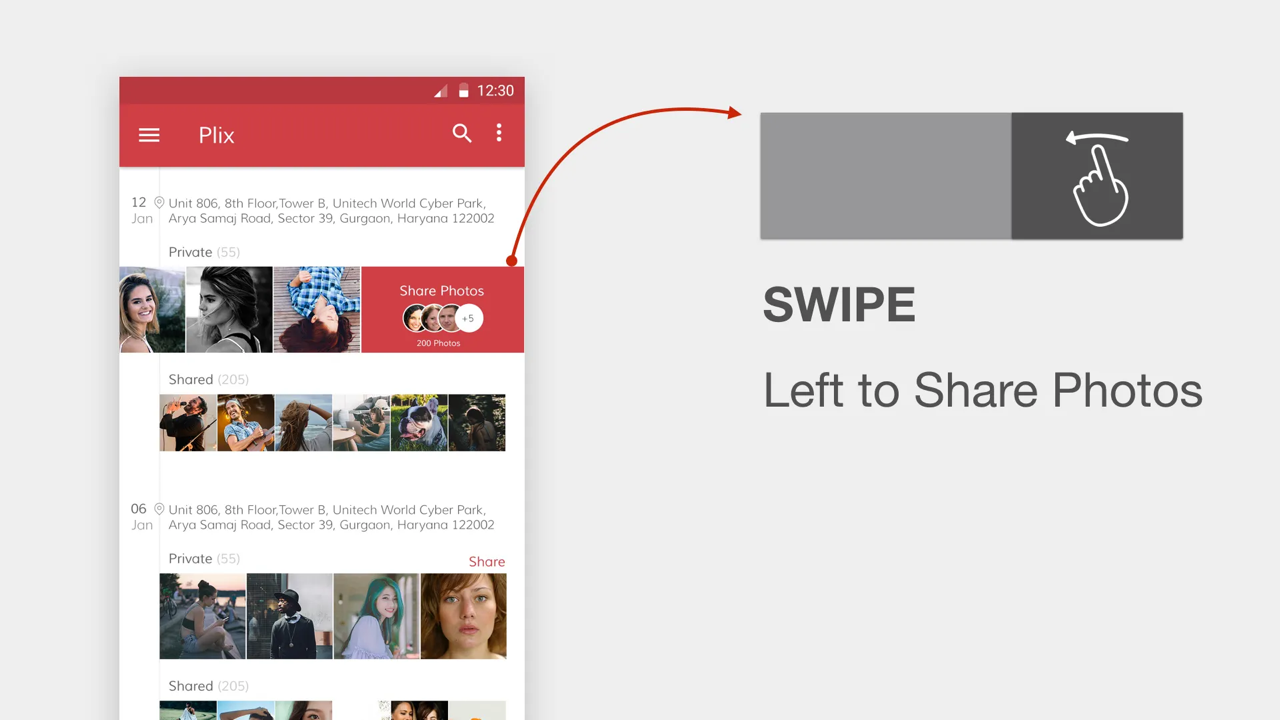
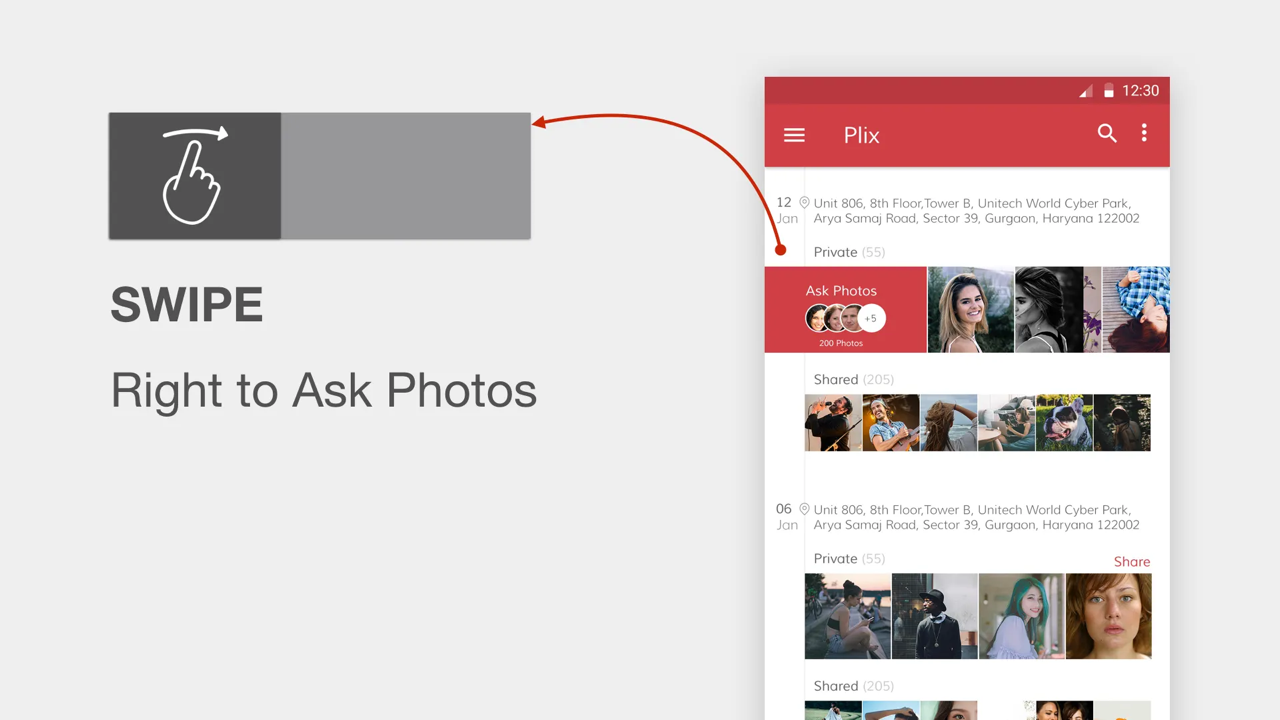
Swipe Interactions
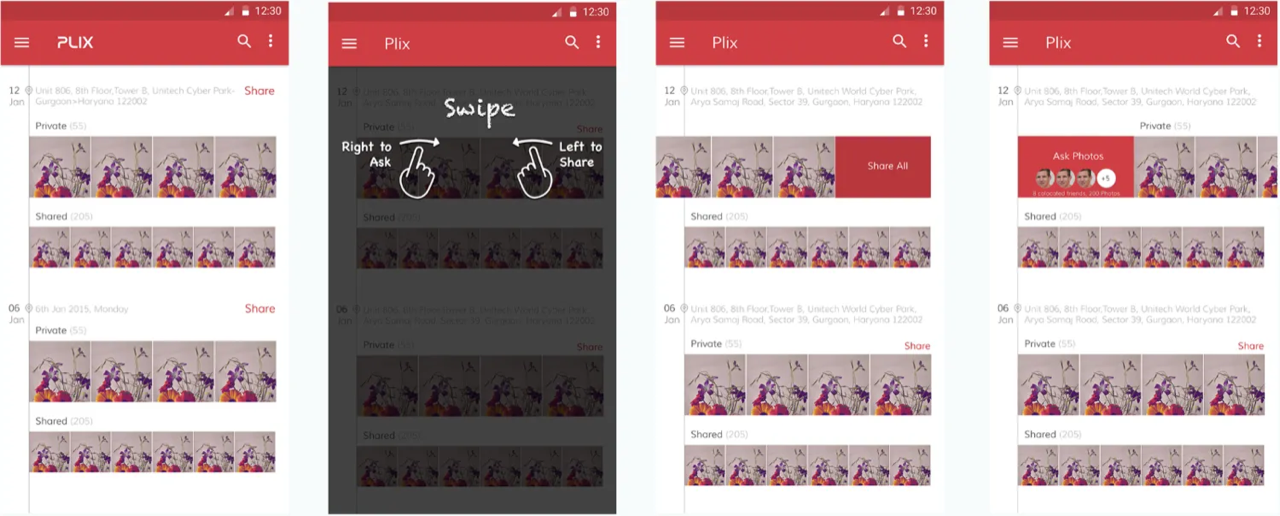
Left swipe initiates photo sharing; right swipe requests photos.
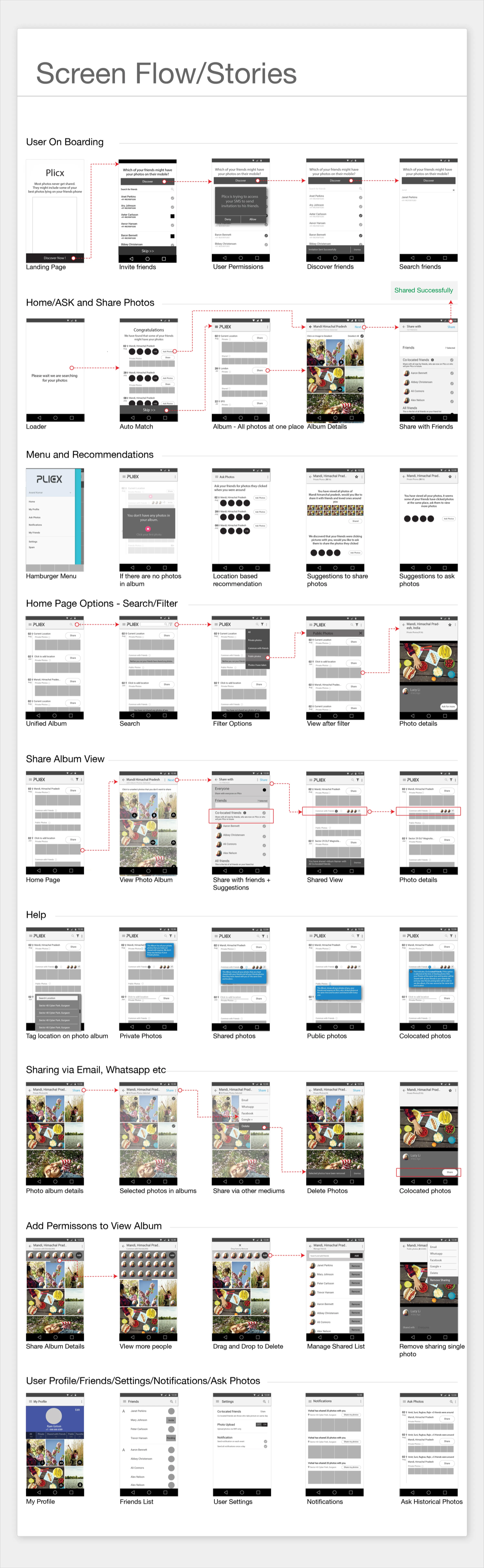
User Onboarding
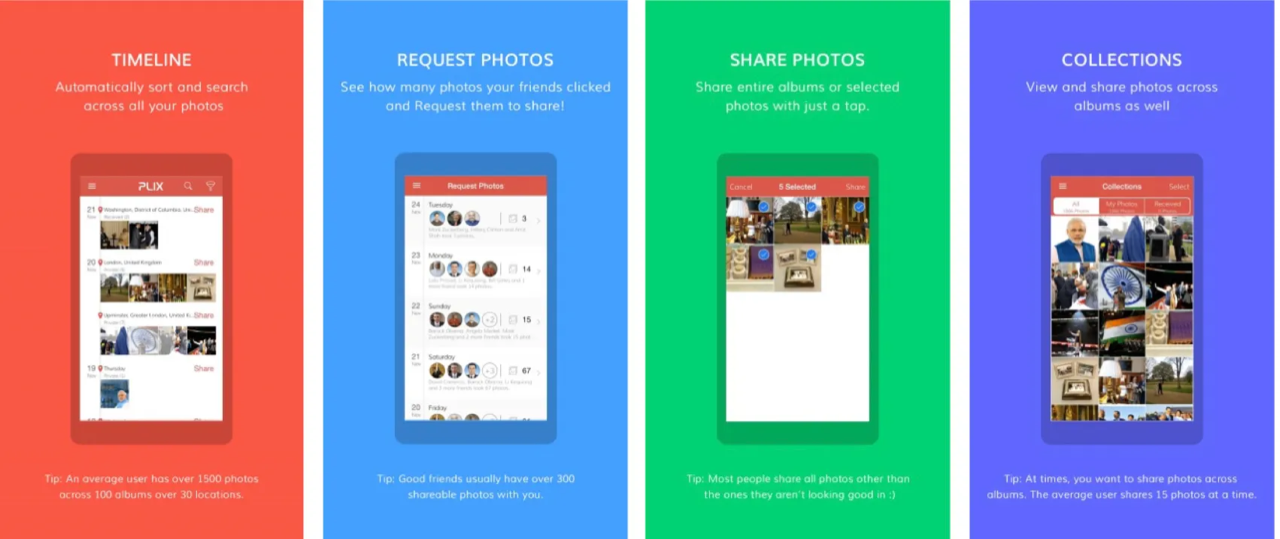
Four core concepts communicated:
- Timeline-based album viewing
- Photo requests
- Photo sharing
- Unified photo collection access
Bulk Photo Sharing Features
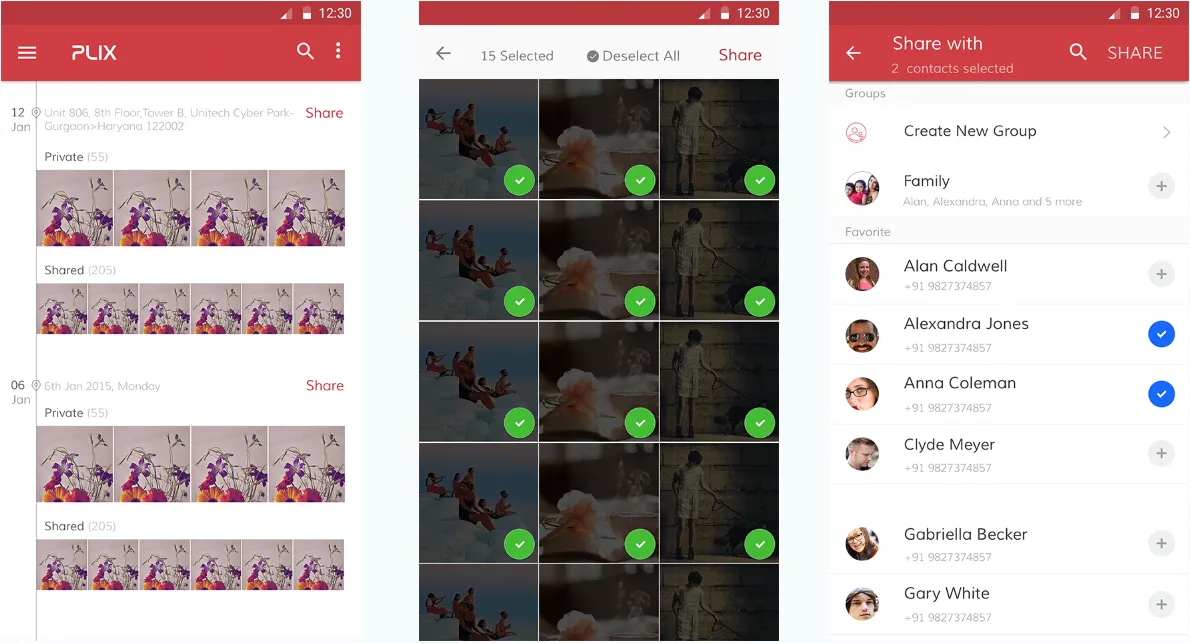
Swiping enables instant album sharing with location-matched friends, eliminating tedious contact selection.
Location-Based Photo Requests
Calendar indicators show friends present at photo locations, with recommendations enabling targeted requests.
Unified Album View
Single interface displays both private and shared photos.
User Flow